 User Help Manual
  Learn FAQ
  Send us feedback


Video Editor
Download and use the free video software to create and edit videos of any complexity from a family greeting card to a company presentation. Apply vsdc free video editor for light edit hdr-video, any raw-video formats from cams - BRAW, ProRes RAW, any high resolution 4k or more due to video proxies technologies in the editor.
Cut, merge video files, apply visual and audio effects, use filtration and image correction, make slideshows and add an appropriate soundtrack. Use multi-color Chroma Key and advanced parameters settings to give your video a professional look.
All popular video and audio formats are supported.
Video Converter
This program is intended for converting video files from one format to another. Nearly all popular video formats are supported (both reading and saving). In addition, the program drastically simplifies the task of converting videos for playback on specific multimedia devices, such as iPhone, Samsung Galaxy or Huawei P30 Pro. The program is extremely easy to use, has a modern interface and all necessary video processing functions.
Audio Converter
The audio converter will help you convert audio files from one format to another. All key audio formats and codecs are supported. The program also allows you to manage playlists and meta tags, extract audio from video files and save these tracks on your computer in any format.
Animated Intro & Title Templates
Explore the VSDC Template Store with ready-made video templates for intros, animated titles, lower thirds, logo reveals, slideshows, glitch transitions, LUTs, and color grading presets. Drop a template into the VSDC Video Editor timeline, edit text, timing, and colors, and finish professional video projects in minutes.
Choose from 300+ exclusive packs of video transitions, LUT packs, text effects, GPS telemetry widgets, animated elements, and animated backgrounds for VSDC. All templates are fully customizable, support up to 4K resolution in 16:9, and help you build intros, wedding slideshows, travel videos, and tutorials much faster.
VSDC Cloud - Online video management
Keep your work safe, organized and always accessible! Back up your video projects, store media files online and access them from any device. Enjoy collaboration, share project updates and exchange files easily.
 Video Editor
 Video Converter
 Audio Tools
 Templates store
 Cloud
Cloud

Multifunctionality
A wide array of multimedia processing tools in one free video software suite.

High speed
Our programs use fast
and high-quality algorithms optimized for single and multi-core CPU’s.

Affordability
VSDC video software is freely available for download to Windows OS-based PCs and laptops.
News:
Free video editing in 2025: Unlock Your Creativity without Breaking the Bank
May 12, 2025 published by Tom Shinat
In today's digital world creativity reigns supreme. It offers endless possibilities for individuals and brands to captivate audiences and leave a lasting impression. With social media platforms at the forefront of communication and product consumption, the demand for making videos is stronger than ever before.
When it comes to free video editors, the sheer number of options available on the web can be overwhelming. Some video software is renowned but comes with a hefty price tag. Others are free but may lack quality or have limitations in functionality.
To save you time and effort, we’ve tested the best free video editing tools popular in 2025. Join us as we unveil our results and navigate the world of video editing with confidence.
VSDC Free Video Editor
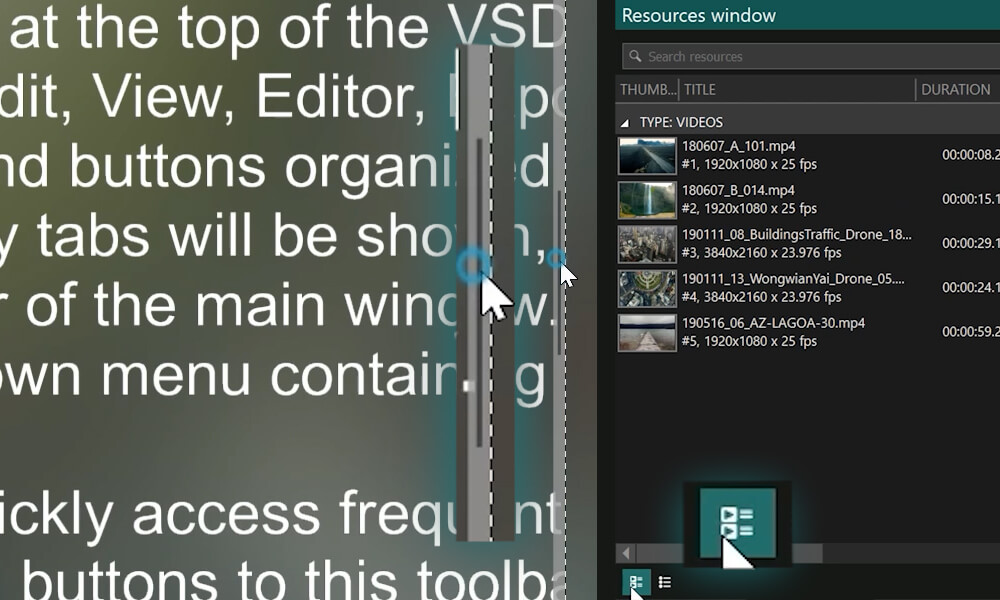
VSDC Free Video Editor tops the list of the best free editors in 2025. VSDC seems to be an ultimate solution for Windows PC users in search of a reliable and feature-packed video editing software. This powerful tool offers a wide range of editing capabilities, from basic tasks like trimming videos, adding text, and removing soundtracks, to more advanced techniques such as color correction, special effects and text animation.
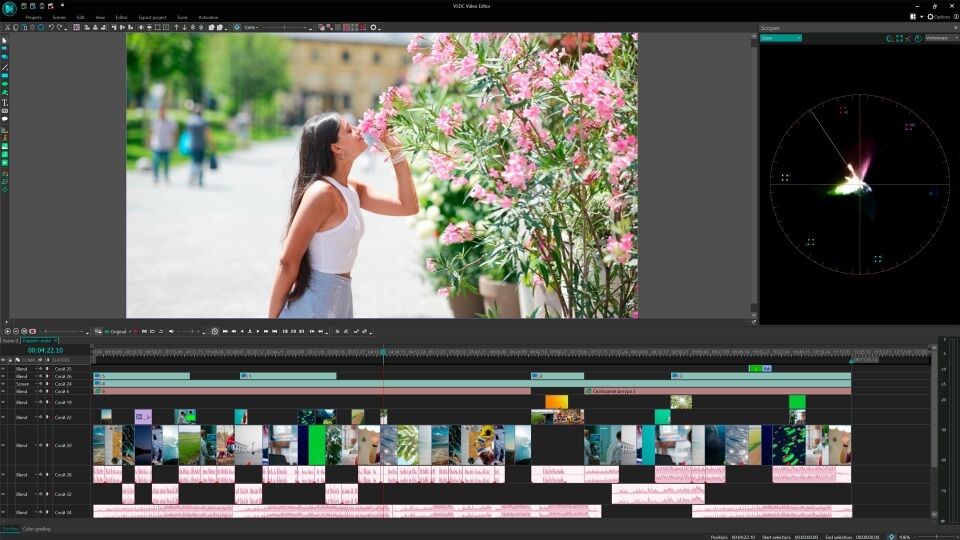
VSDC Free Video Editor has excellent basic editing tools. You may think: 'Come on, basic’s so boring!' But that's not the case at all. Basic doesn’t always mean uncreative, especially when it comes to numerous tasks you can complete with VSDC’s cutting and splitting tool.
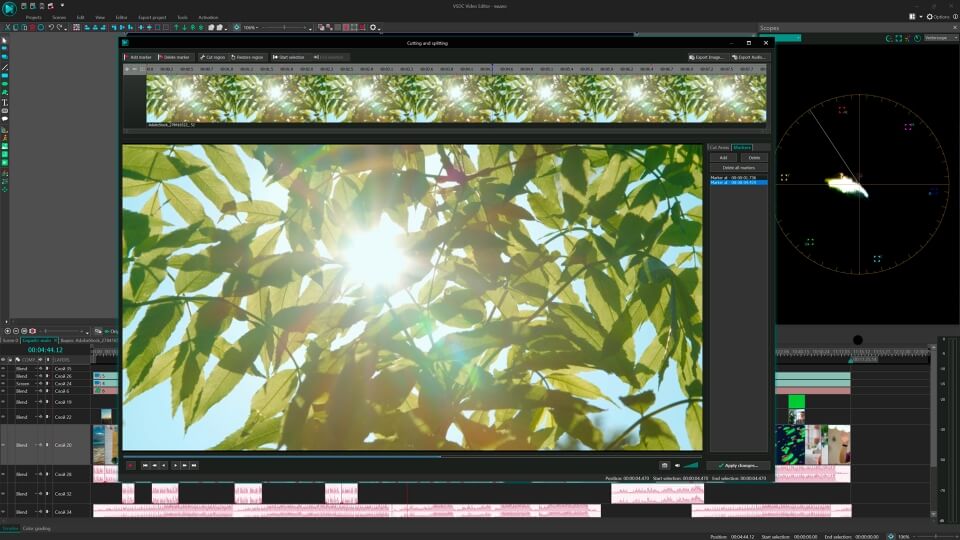
After filming a video, once you stop your camera, it is common to have a large amount of footage. In fact, searching for key moments and milestone frames is an essential part of almost every video editing project. First of all, you may want to remove the unnecessary episodes, and here VSDC gives a helping hand. Furthermore, if you want to add emotional impact and interweave the said key moments into the semantic framework of your film, you may refer to popular artistic techniques, such as J-cuts, L-cuts, cross-fades and cross-dissolves. All of them (and not to forget about dynamic transitions) can be replicated in VSDC for free.
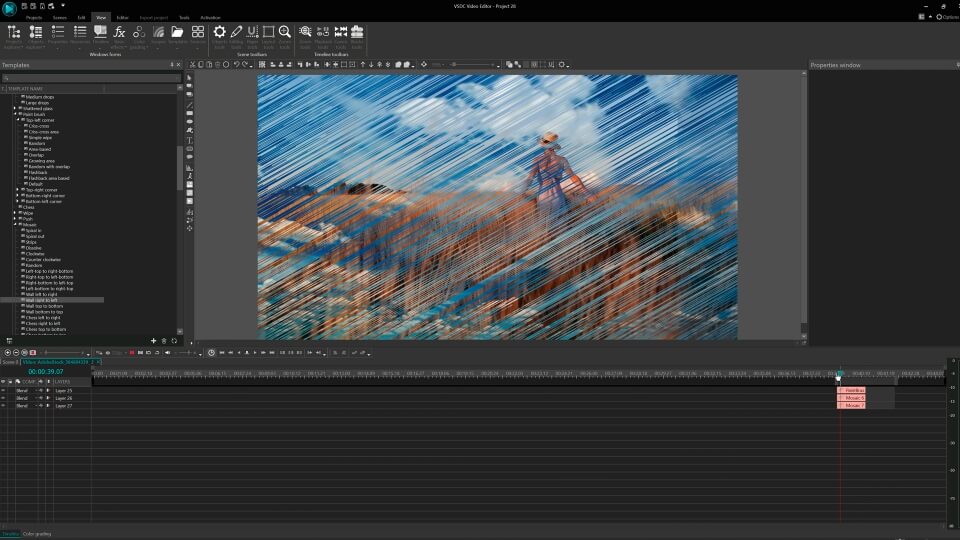
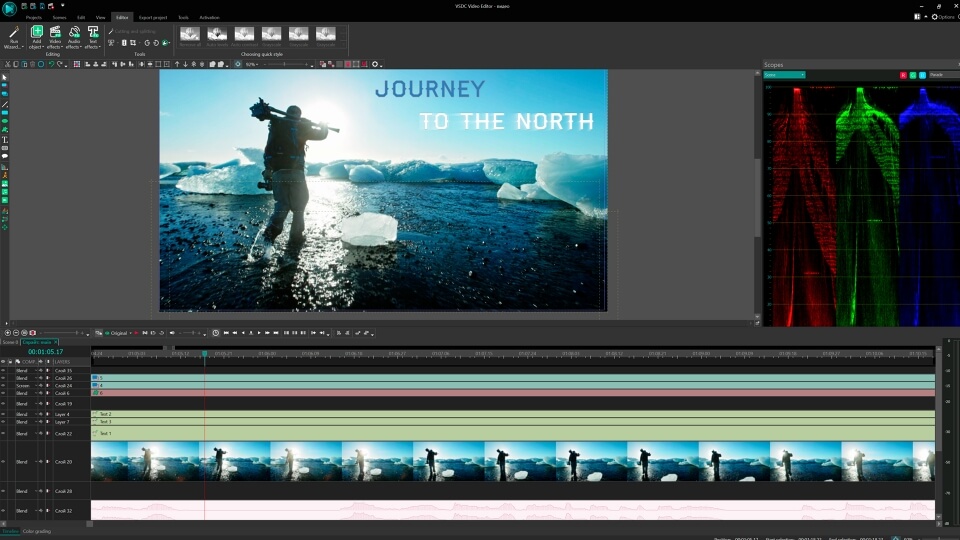
In today's digital world, high-quality video content is not limited to professional videographers, but is also expected from amateur filmmakers, social media specialists and YouTubers. Text intros and tips are crucial elements in creating a polished and engaging final product. With VSDC's comprehensive toolkit for text animation, users can easily create dynamic and visually appealing text effects like glitch, neon, video in text, or get inspired by some ideas they may want to replicate - absolutely free.
Thinking to add a touch of drama, emotion or suspense to your video? Give a try to VSDC free slow mo. Whether you're creating a blockbuster film or a simple home video, the slow motion effect is a powerful tool in the VSDC's arsenal to transform ordinary footage into a captivating work of art.
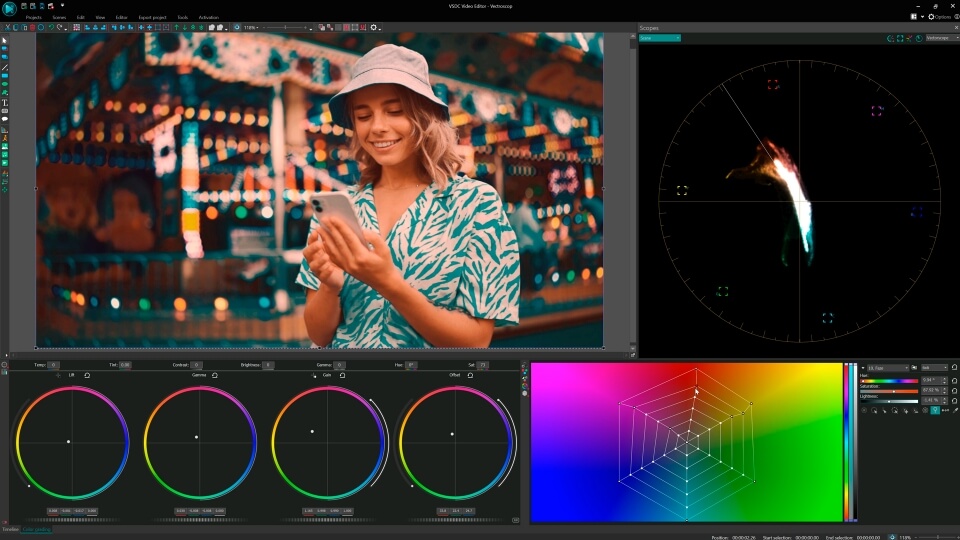
Color correction plays a pivotal role in video post-production. In response to this, VSDC provides access to a plethora of customizable video effects, transitions, and color filters.VSDC users may enhance the visual aesthetics of their footage manually thanks to color wheels and RGB curves, transparency-based overlays and quick filters. Whereas the built-in LUT editor empowers them to apply pre-made LUTs or create personal custom templates, giving videos a professional touch.
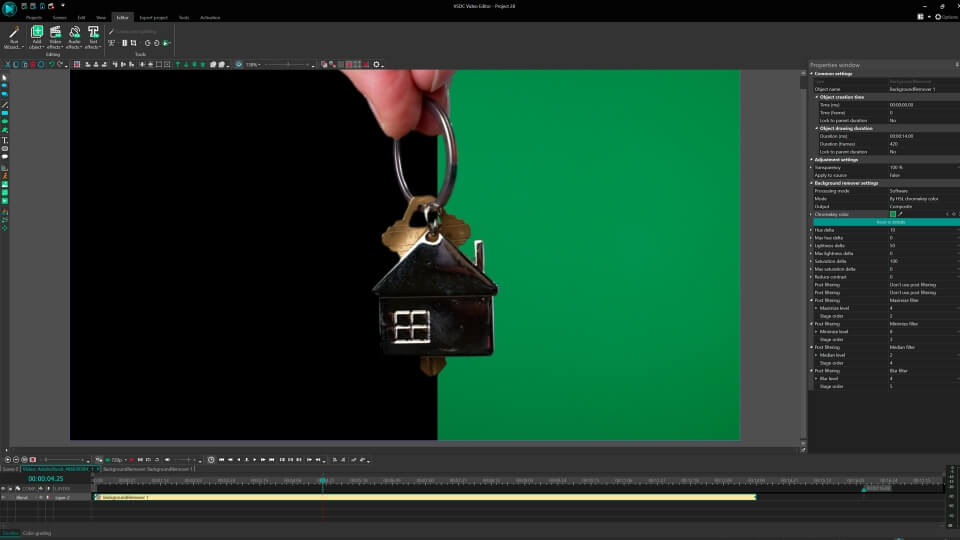
As the metaverse and virtual reality continue to shape the future of digital media, the demand for innovative and captivating visuals is high. Green screen technology (Chroma Key) has become a popular and essential tool in video editing. With the ability to seamlessly replace green backgrounds with any image or video, Chroma Key has transformed the post-production process, allowing creators to push the boundaries of visual storytelling. VSDC offers two Chroma Key options: VSDC free green screen within YUV color space and the premium HSL option.
After all, VSDC Free Video Editor is a powerful tool with a comprehensive toolkit. Once users become familiar with the free version’s interface, menu structure and workflow, they may want to go further and boost their editing skills in VSDC’s premium version. Rather than searching for a new editing tool, users upgrade to VSDC Pro to unlock professional toolkits and advanced VFX within the same software product. Motion tracking, multicam editing, HSL Chroma Key, masking tools, blending modes, AI Art Generator, video stabilization and other professional features come together with hardware acceleration to ensure speedy rendering of your heaviest (and most creative!) projects.
Surprisingly lightweight, VSDC (both free and pro) runs smoothly even on computers with limited RAM and effortlessly opens footage from any device without requiring format conversions.
Pros
Advanced VFX and filters
Color wheels, RGB curves, LUT editor, toolkit for animated text, YUV Chroma Key, 4K export and 100% format support
Additional tools like video converter, desktop screen recorder, webcam video capture tool, voice recorder, YouTube uploader.
No watermark
Cons
Relatively complex user interface
No Mac/Linux version
Some premium features can be unlocked in VSDC Pro
Most of the functions are hidden in submenus
DaVinci Resolve
DaVinci Resolve from Blackmagic is widely recognized as one of the best free video editing software options available today. The program offers a wide range of features, including advanced video editing tools, a powerful FX system and professional-grade audio features that allow users to bring their unique vision to life. The best part is that it's completely free. That's right, there are no hidden costs or limitations. You can easily download DaVinci Resolve for Mac, Linux or Windows without having to pay anything to Blackmagic.
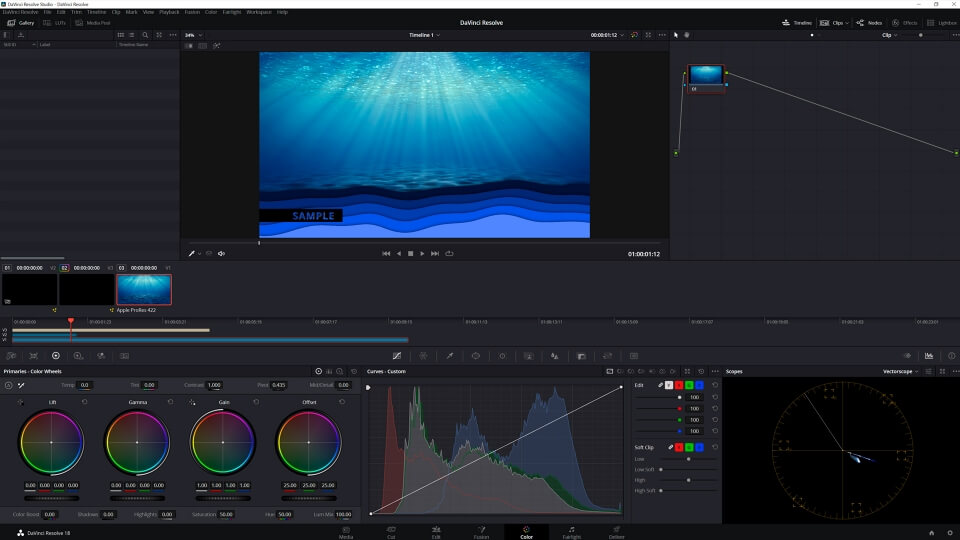
For those seeking even more, there is an option to upgrade to Resolve Studio for a fee of $295. This solution grants you a perpetual license and free future upgrades. Notably, Resolve Studio also includes Fusion, a remarkable VFX software that serves as an excellent alternative to Adobe After Effects, particularly favored by designers.
While the complexity of DaVinci Resolve may seem daunting, it remains a must-try software for anyone committed to the art of video editing.
Pros
Professional editing features
Powerful color grading tools
Robust editing workflow
Single software tool for Mac, Windows and Linux
Cons
Complex user interface
High system requirements
Exporting high-resolution footage can be a slow process.
Takes time to get used to
Lightworks
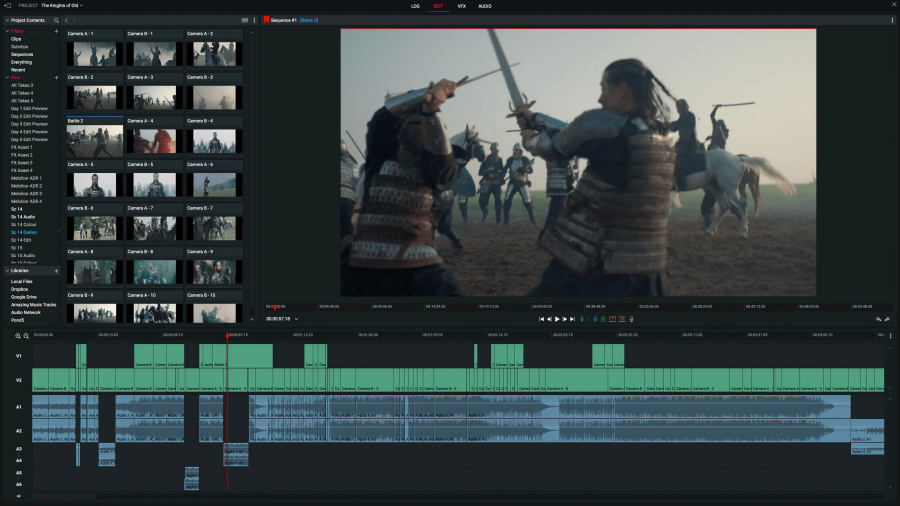
Another decent solution from the list of the best free video editors in 2025 is Lightworks.
It is an excellent free video editing software that offers a wide range of editing tools. With its advanced editing capabilities, users can experiment with different cuts, transitions, FXs and filters to create a dynamic and engaging final product. However, if you require more advanced features, you will need to upgrade to the paid version for additional benefits.
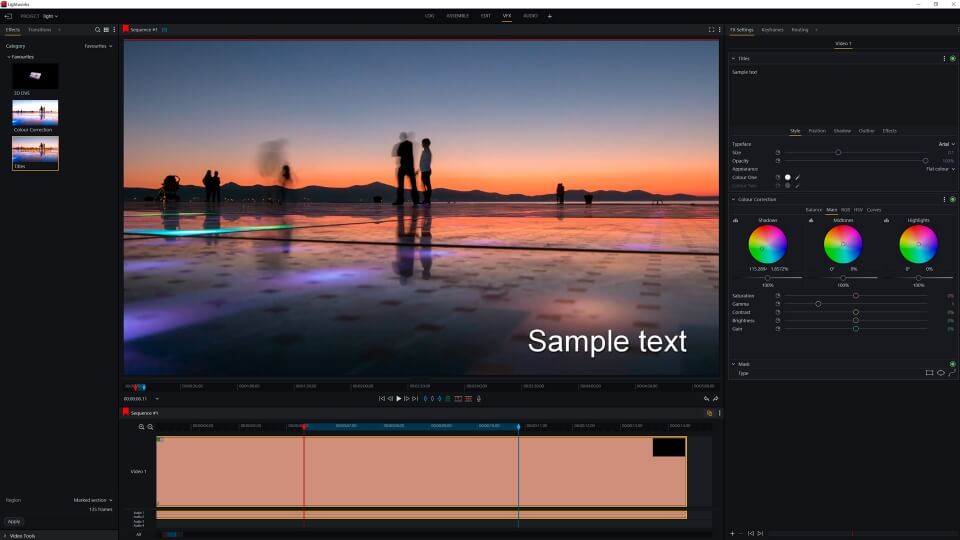
Lightworks Pro has upgraded its FX engine to support OpenFX, which allows for a wider range of visual effects plugins. The software also includes NewBlue's Titler Pro for 2D/3D titling and motion graphics and Essentials video tools for footage correction and sharpening.
Pros
Professional-grade editing capabilities
Multi-platform support: Lightworks is available for Windows, Mac, and Linux platforms
Intuitive interface with customizable keyboard shortcuts
Non-linear editor
Cons
Limited export options - the free version only allows users to export video in 720p resolution
Beginners may take some time to learn and master the software's advanced FXs, despite its intuitive interface.
Limited FX library in the free version
Limited video format support in the free version
Movavi
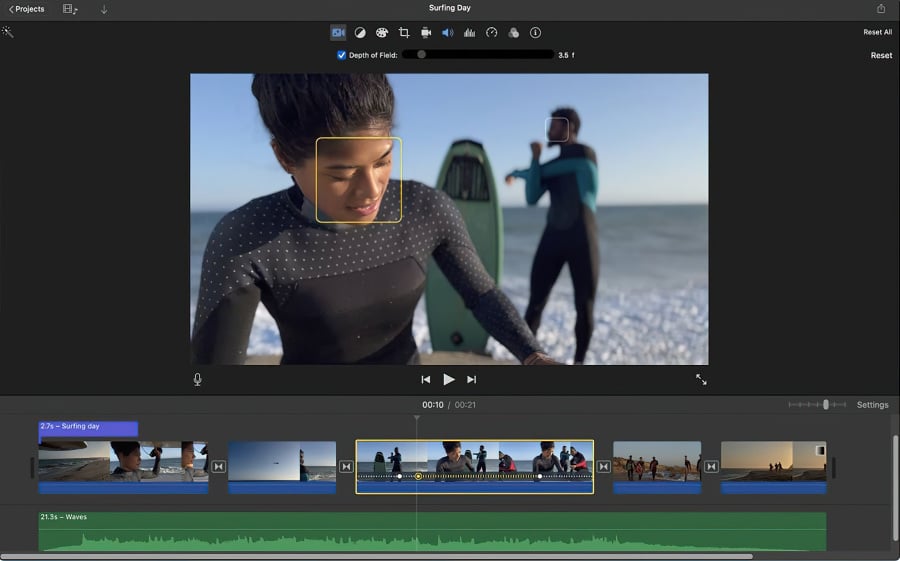
Movavi Video Editor is a user-friendly video editing software designed for both beginners and advanced users. It offers a powerful toolset, including pro-features like video stabilization, color correction, and special effects.
Movavi Video Editor is available in both trial and premium versions. The trial version offers basic video editing tools, including trimming and cutting, as well as some special effects and filters. Nevertheless, Movavi’s freemium solution does have certain limitations to be aware of. These include restrictions on maximum video resolution, limited export options, a relatively smaller FX library, and a watermark on final projects.
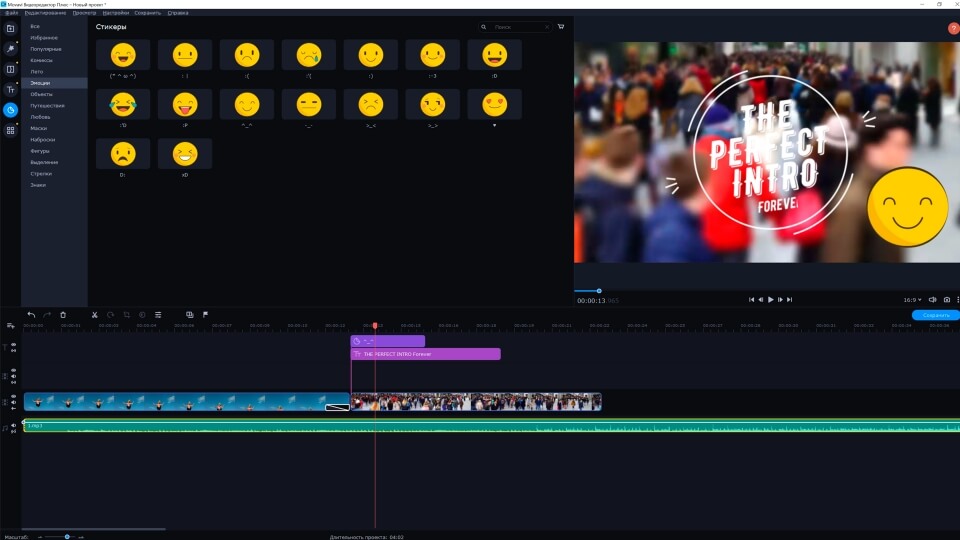
Movavi Video Editor has a simple and intuitive interface, making it easy to use even for those who are new to video editing. It supports a wide range of video file formats, including popular formats like MP4, AVI, and MOV. Note, the program offers powerful AI features, including AI background removal, AI noise removal and AI upscaling which can save you valuable time and effort.
Pros
Motion tracking and picture-in-picture tools
Powerful AI features
Intuitive user-friendly interface
Movavi has a separate screen recording option, which allows users to record video and audio from their PC, Mac, laptop, or webcam.
Cons
The trial version has functional limitations and is available for 7 days only
Watermark in the trial version
Lacks advanced trim modes and clip pre-trimming
Rendering is on the slow side
Hitfilm
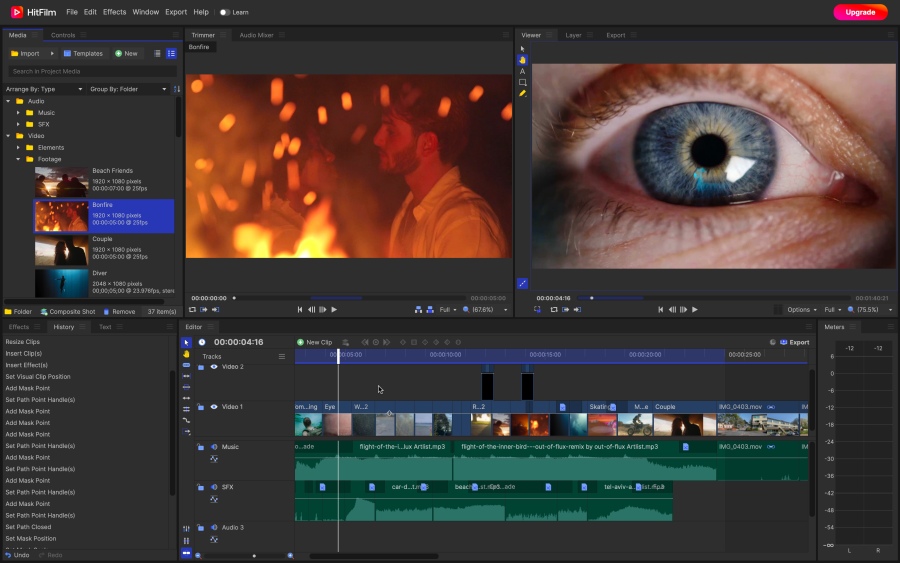
Hitfilm (formerly known as Hitfilm Express) used to be a popular choice for professional video editors, offering a range of features and capabilities. The rebranding of Hitfilm introduces two subscription tiers, which means the free version is no longer as comprehensive compared to other paid tools. Many effects are now watermarked on the free version.
Nevertheless the free plan has some exciting options to offer. 120+ visual effects, including 360° video effects, blurs, keying, and transitions give users a wide range of options to enhance their videos.
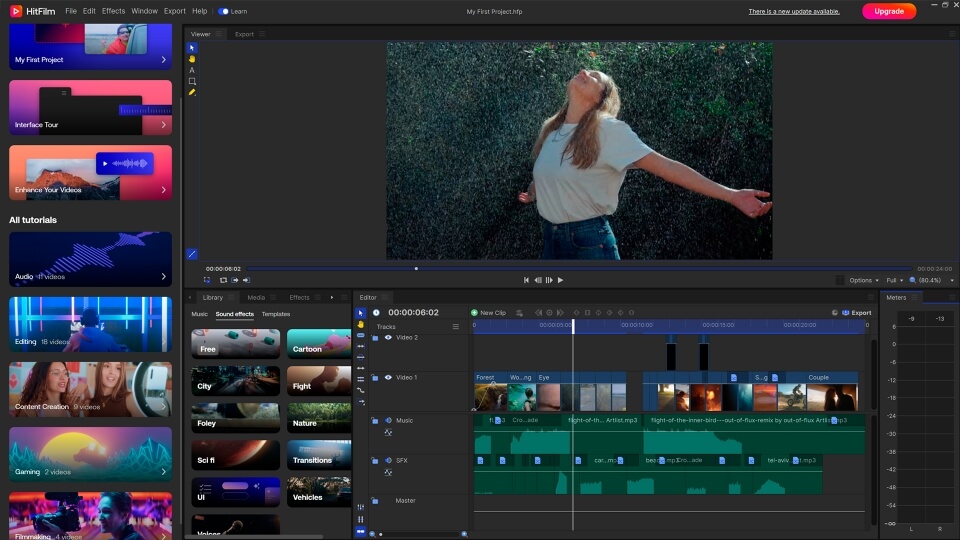
You can access the full suite of HitFilm's features by paying for the Pro version, which costs $12.99 per month, or the Creator version, which costs $7.99 per month and unlocks fewer features.
Pros
Comprehensive feature set and professional-grade visual effects
Available for Windows and Mac
Large community and support: Hitfilm has a vibrant and active community of users who share tutorials, tips, and resources.
User-friendly interface that can be easily customized
Cons
High system requirements: users with older or less powerful computers may experience slower performance or even compatibility issues.
Watermark in the trial version
Lacks advanced trim modes and clip pre-trimming
Rendering may be on the slow side
Wrapping up
Availability of free video editors makes it possible to produce professional-looking films, tutorials, vlogs, and other video content without having to spend a fortune on expensive programs.
Normally, creating a quality video is a complex process. A truly exceptional video content takes more than just correct footage, a good video editor and time to put it all together. It also requires unique editing ideas that will make your video stand out from the rest. Our YouTube channel offers a range of tutorials that can help you discover fresh VFX tips and techniques. Give them a try and watch as your creative visions take shape before your eyes.
 Download VSDC Video Editor 8.2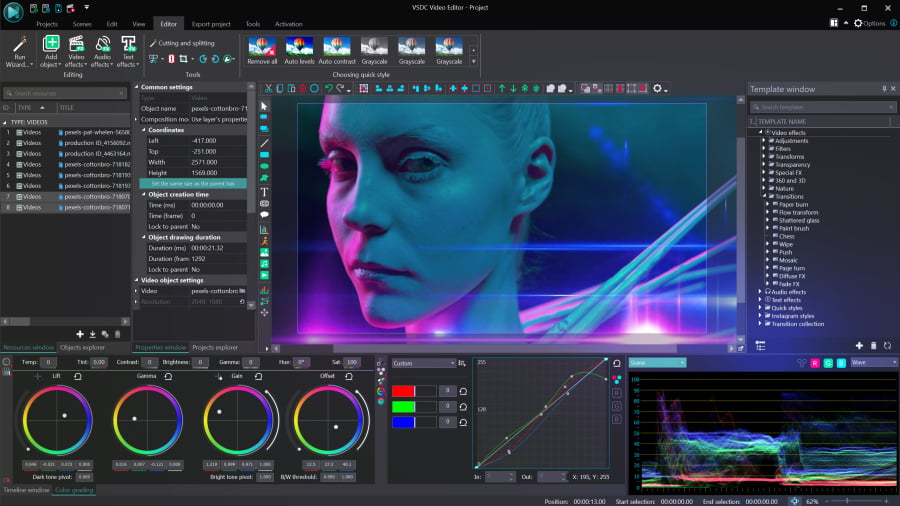
 DOWNLOAD VSDC VIDEO EDITOR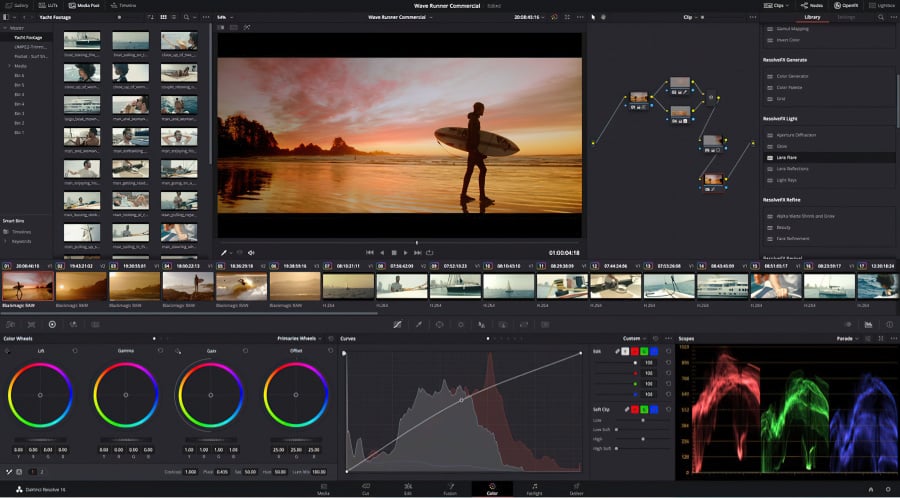



This program allows you to capture the video of your desktop and save it on your PC in various formats. Coupled with a video editor, the program is a great tool for creating presentations, tutorials and demo videos.

The program captures video from external devices and records it to computer in a free format. You can save video from video tuners, webcams, capture cards and other gadgets.
VSDC Video Editor Reviews & Ratings (Trustpilot, Capterra & Media)
VSDC Free Video Editor is rated 4.5/5 by real users on Trustpilot and Capterra. Here are a few reviews and quotes from creators and tech media.
Overall rating: 4.5/5 based on 200+ reviews on Trustpilot and 89 reviews on Capterra.
★★★★⯪
VSDC Free Video Editor is the best free video editor for Windows I’ve used, from color grading to picture-in-picture and cinematic results.
— Ejikeme Eloka Augustine
Source:Trustpilot
★★★★☆
Easy-to-use interface and quick export to social media make VSDC a versatile video editing tool for everyday projects.
— Karen C., E-Learning
Source:Capterra
★★★★☆
A feature-packed non-linear video editor for Windows that can compete with many paid video editing solutions.
— TechRadar
Source:TechRadar review
★★★★★
The free VSDC editor saved my YouTube channel – a powerful video editing software for chroma key, text effects and picture-in-picture.
— Paul Roberts
Source:Trustpilot
★★★★★
Fast and simple for YouTube videos with green screen, zoom, color tools and creative effects in one app.
— Marie R., Media Production
Source:Capterra
★★★★★
One of the best free video editor options for Windows users, ideal for GoPro, YouTube and family videos.
— VidProMom, YouTube creator
Source:Media reviews
★★★★★
I’ve been using VSDC for years; editing is easy and the final videos look great for my personal and professional projects.
— Long-time VSDC user
Source:Trustpilot
★★★★★
Great value and faster than many other free tools; I quickly create videos for YouTube, Instagram and Facebook with features my audience loves.
— Rabika B., Marketing & Advertising
Source:Capterra
★★★★★
VSDC offers many features you don’t usually find in free editors, including picture-in-picture, stabilization and modern codec support with no watermarks.
— Tech media review
Source:Media reviews
 Like us on Facebook
 Follow us on Twitter
Watch us on YouTube
 / @VSDCFreeVideoEditor
© 2011-2026, www.videosoftdev.com, FLASH-INTEGRO LLC. Privacy policy | Terms of use | About us
All trademarks referenced herein are the sole property of their respective owners.
Copying any materials from this site allowed only with written consent of Site Administration.