Video Editor

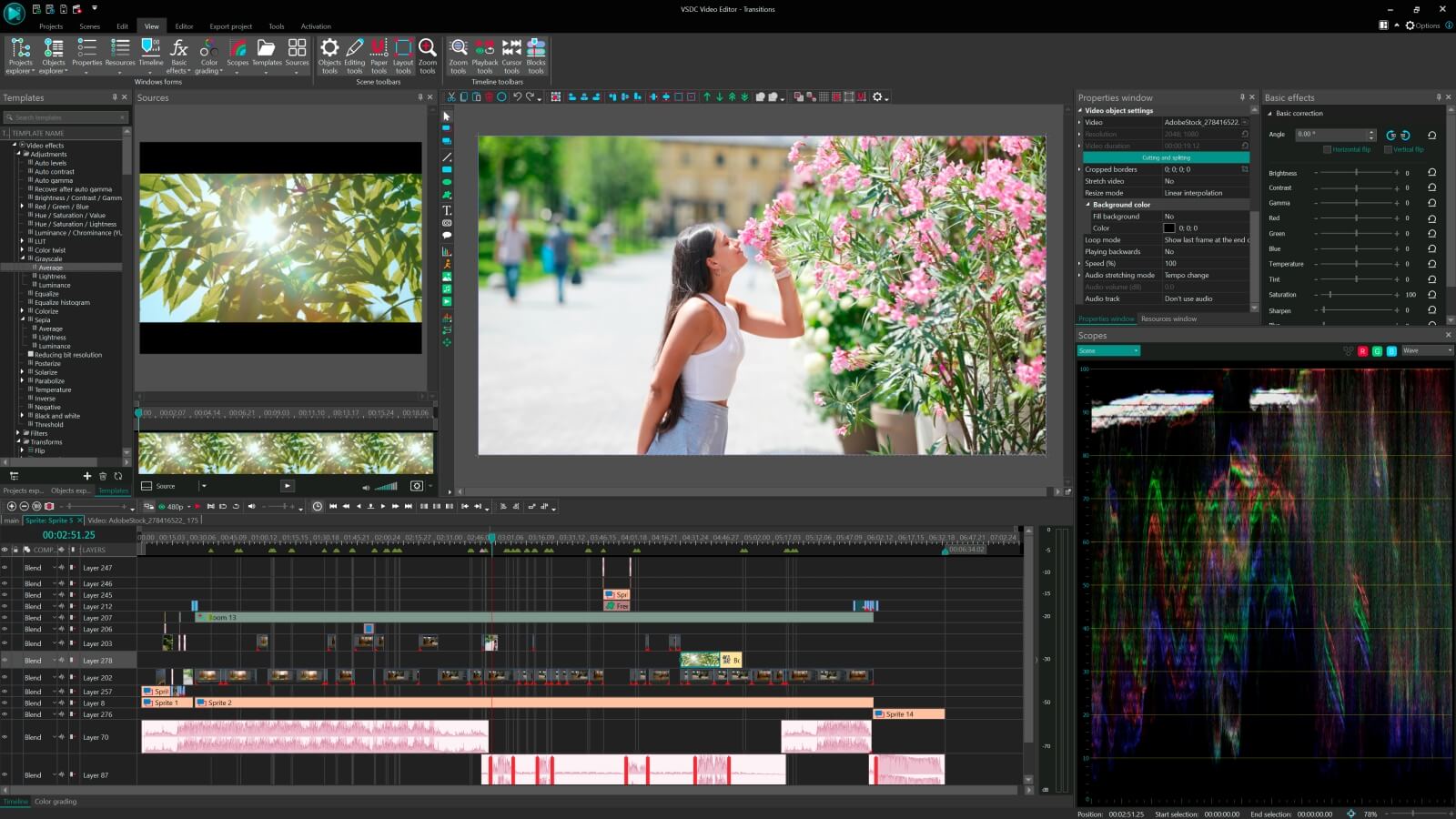
Download and use the free video software to create and edit videos of any complexity from a family greeting card to a company presentation. Apply vsdc free video editor for light edit hdr-video, any raw-video formats from cams - BRAW, ProRes RAW, any high resolution 4k or more due to video proxies technologies in the editor.
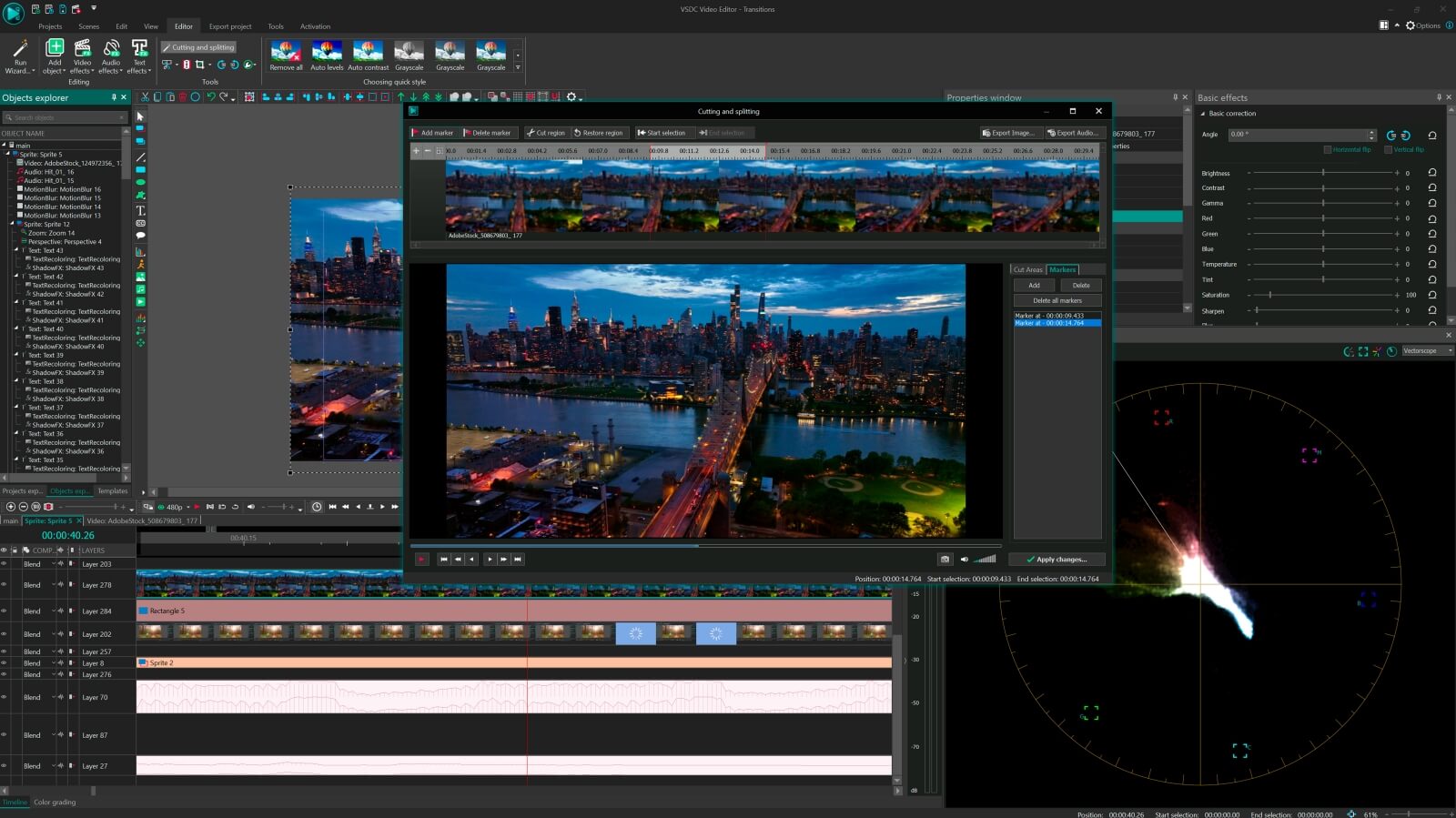
Cut, merge video files, apply visual and audio effects, use filtration and image correction, make slideshows and add an appropriate soundtrack. Use multi-color Chroma Key and advanced parameters settings to give your video a professional look.
All popular video and audio formats are supported.

Read more about Video Editor...

Video Converter

This program is intended for converting video files from one format to another. Nearly all popular video formats are supported (both reading and saving). In addition, the program drastically simplifies the task of converting videos for playback on specific multimedia devices, such as iPhone, Samsung Galaxy or Huawei P30 Pro. The program is extremely easy to use, has a modern interface and all necessary video processing functions.

Read more about Video Converter...

Audio Converter

The audio converter will help you convert audio files from one format to another. All key audio formats and codecs are supported. The program also allows you to manage playlists and meta tags, extract audio from video files and save these tracks on your computer in any format.

Read more about Audio Converter...

Audio CD Grabber

This audio tool is intended for grabbing audio tracks from compact discs and saving them to the user’s computer in any format. Nearly all popular audio formats and codecs are supported. The program can also extract track details from the FreeDB server for automatic file renaming and updating meta tags.

Read more about Audio CD Grabber...

Multifunctionality

Multifunctionality

A wide array of multimedia processing tools in one free video software suite.

High speed

High speed

Our programs use fast
and high-quality algorithms optimized for single and multi-core CPU’s.

Affordability

Affordability

VSDC video software is freely available for download to Windows OS-based PCs and laptops.

Get a VSDC Video Editor license for your school for free

At VSDC, we believe that creative thinking is a crucial part of development. And that’s why we always wanted to make video editing accessible to everyone. This is exactly why we started our special program allowing schools to get free licenses of VSDC Pro for any required number of computers.

By providing a full-featured multimedia suite for processing video and audio files for free, we’re hoping to help learners around the world achieve their goals and visualize their ideas. Who knows, perhaps one of the schools we’re cooperating with, already fosters the next Spielberg in training!

Please, feel free to reach out with any questions about participating in our program. Whether you’re a small school or a large university, we’d be happy and proud if you join our friendly VSDC family.

Make your school/university project

Make your school/university project an easy task with a slideshow wizard

Create your college TV

Create your college TV programs with advanced Chroma Key and voice over tools

Highlight all your sports

Highlight all your sports events with a timer, zoom and slow motion

Teach (and learn!) video editing

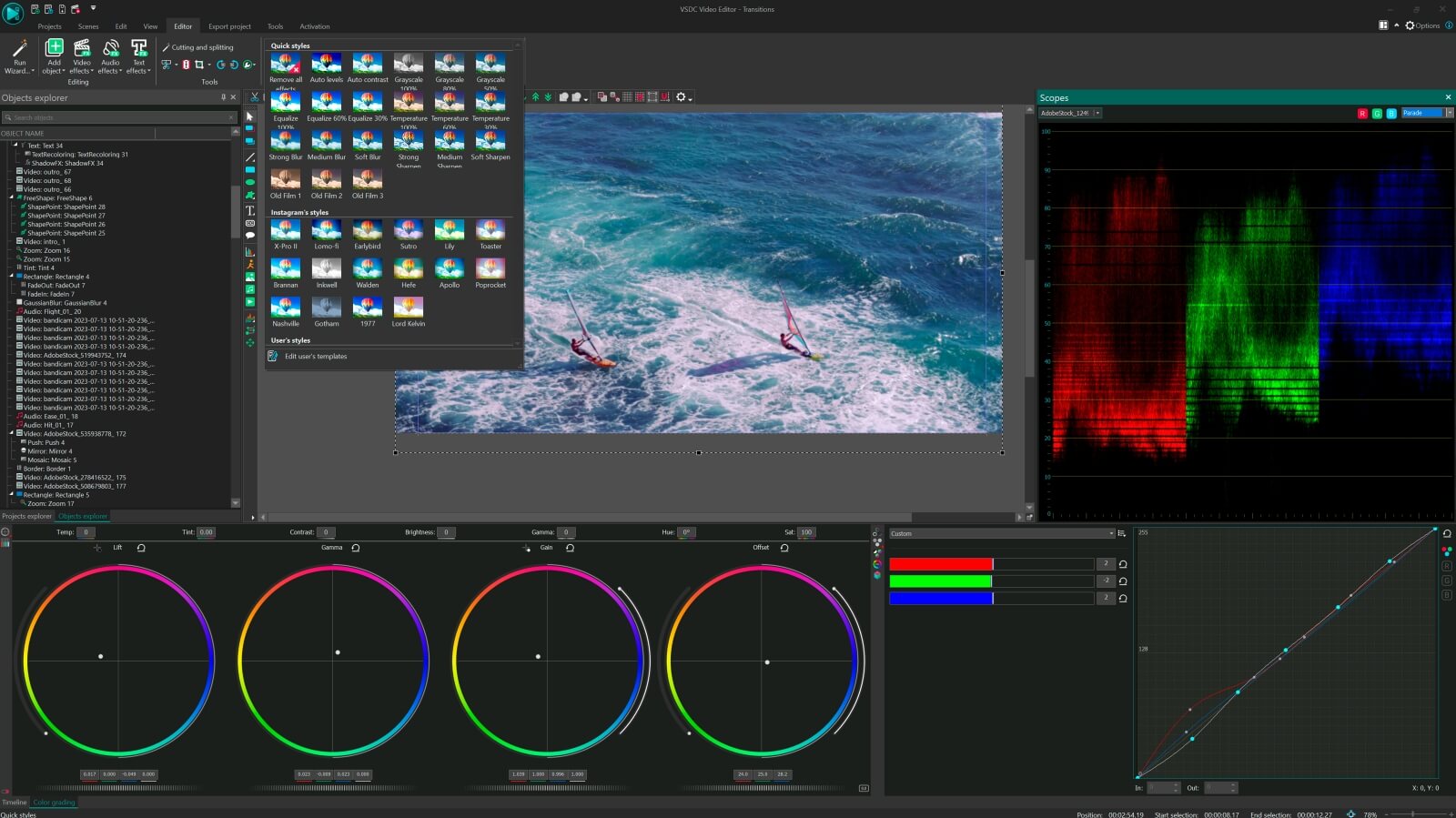
Teach (and learn!) advanced video editing techniques with professional color correction and motion tracking tools

Create video lessons

Create engaging video lessons with a built-in screen grabber, picture-in-picture effect, and text captions.


How to get an educational license

  1. Publish a mention of VSDC Video Editor at your website with a link to the landing page:
    www.videosoftdev.com/free-video-editor
    (if you have a students’ resources page, it will be the best place for the mention)
  2. Fill out the application form below

Explore the world of pro video editing with VSDC

Double speed

Double speed

Manage your editing even faster with more stable and hardware-accelerated version

Enhanced resolution

Enhanced resolution

Process image and video transformation with subpixel resolution to get more precise results

Mask tool

Video mask tool

Hide, blur or highlight required elements in your video using 10+ mask types

Multiple color
chroma key

Multiple colors

Choose a suitable color for your video background to create a real TV studio look

Advanced settings
for pro editing

Advanced settings

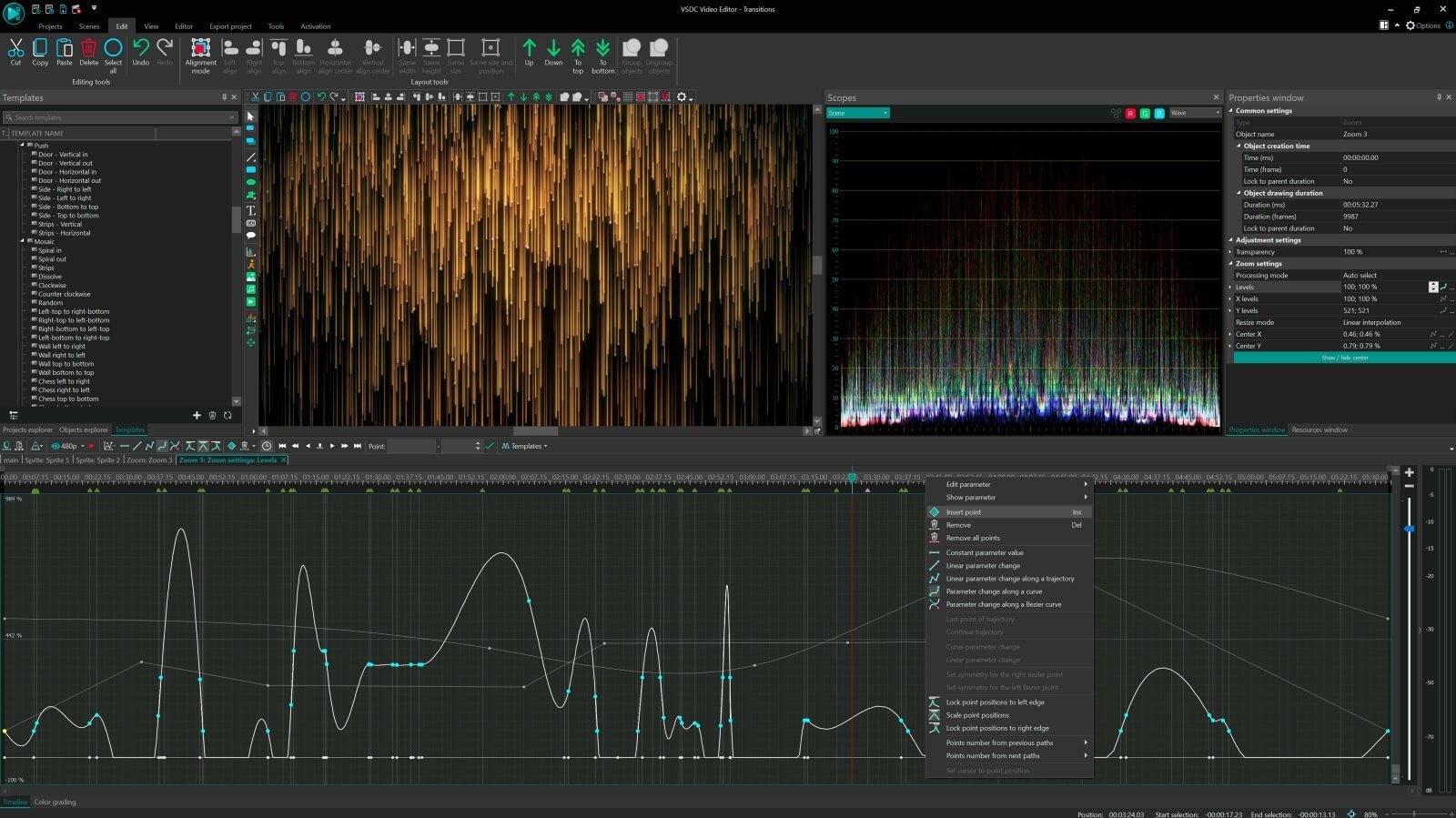
Create curved motion paths for your video objects or animation taking advantage of adjustable parameter settings


Compare VSDC Free and Pro video editing software

  FREE PRO
Full video editing suite
Advanced settings for Pro editing
Video stabilization tool
Hardware acceleration
Audio waveform
Sub-pixel resolution Standard Advanced
Voice over Standard Advanced
Mask tool Standard Advanced
Chroma Key Standard Advanced
Technical support Standard Advanced

VSDC Free Video Editor :: video files editing

VSDC Free Video Editor :: video cropping

VSDC Free Video Editor :: slideshow creating

VSDC Free Video Editor :: animation creating


discount

To get more information on the subscription for VSDC Video Editor Pro, please, consult the FAQ section or write to This email address is being protected from spambots. You need JavaScript enabled to view it.

Please, note, that the current version doesn’t run on Windows versions prior to Windows XP SP3. If you use older Windows versions, please, make use of VSDC Video Editor version 3.3.5

To install the program, click the "Download Video Editor" button, then start the downloaded installation file and follow on-screen instructions.


Compare VSDC Free and Pro video editing software


VSDC Video Editor Help User Manual

What is
VSDC Video Editor
Help

A user manual intended to provide you with the detailed description of the program with the focus on the interface and all the functions.

The help manual is updated regularly within a month after a new version is released and available at the same link. It is available in HTML format for all users. VSDC Pro users receive the manual in PDF format, featuring an interactive menu for enhanced navigation.

 
Open VSDC Video Editor User Manual
What is included
In the user manual, you will find in-depth information on the following parts:
  • Part I Program Interface
  • Part II Program Functions
  • Part III VSDC Cloud Service
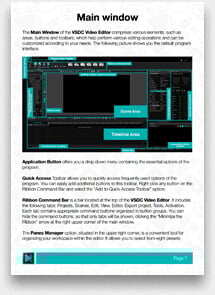
Each part contains a well-structured and detailed description of all its elements and tools, including windows, tabs, and buttons, with corresponding images and screenshots.
 
Other technical support information
If you prefer step-by-step instructions, please consult our text how-to guides on the most common and popular video editing tasks. These range from basic operations such as cutting and splitting files to more complex tips and tricks.
To watch video tutorials, please visit our YouTube channel. There are currently around 600 instructions available, and we regularly add new ones.
 
About VSDC Free Video Editor

The VSDC Video Editor User Manual covers the entire program and does not differentiate between Free and Pro options.

For Pro version users, all features and export options are available. Free version users can apply and test most options and the interface; however, if a Pro feature is applied, they will receive a warning, and the project will not be able to be exported.

Buy VSDC Video Editor PRO Now
 

Page 1 of 4

News

VSDC 10.2: GPS Gauges for GoPro and Other Action Cameras, Selective Export, Metadata Editing, Extended Codecs and Smarter Workflow

published Amy Shao 11/19/25 Meet the long-awaited VSDC 10.2 update: a new version packed with incredible features and significant enhancements designed to empower all of you, from hobbyists to professionals. GPS...

Major VSDC 10.1 Update: Advanced HDR, GPS Telemetry, New Effects, Great Variety of New Templates and Tools For Different Needs

published Amy Shao 6/10/25 The wait for something new and unusual is finally over! The update is here and it isn’t just another version: it’s VSDC 10.1! VSDC 10.1 Update: Advanced HDR, GPS Telemetry,...

VSDC Christmas Update 9.4: Enhanced Effect Management, 100+ Background Templates and Streamlined Editing

This holiday season embraces new beginnings with the latest update of VSDC Video Editor! We’ve listened to your feedback and decided to focus on enhancing the tools you love most—all while laying the...

How VSDC Free Became My Secret Weapon for Watermark (Free 4K Editing in 2025)

Hi, I'm Mattea Wharton, a travel videographer from Seattle. For three years I battled with video editors that slapped ugly watermarks on my videos until I found VSDC. This free no-subscription editor completely...

VSDC 9.3: 150+ Templates, Text Transformer, Sprite Auto-Detect and GUI Update

Change is all about improvement, and this process wouldn't be possible without your input. After carefully reviewing your feedback, we’ve addressed several key issues and introduced updates designed...

Best Special Effects Software

Intro In 2024 the options range for creating visual effects is incredibly diverse and it becomes more and more challenging to identify the top choices. Here you can find a guide to the top visual FX...

VSDC 9.2: AI Segmentation Models, 300+ Transitions, VSDC Cloud and New Templates Pack

Are you ready to explore new heights with the latest major VSDC update? Finally, Version 9.2 is here! Packed with groundbreaking features, including the new AI-powered Segmentation tool, this update offers...

How Black and White Movies Were Colorized

Are you a fan of classic black and white films? Ever been curious about how they would appear if they were in color? Many filmmakers have pondered the same, leading to numerous classic movies being colorized....

The Best Online Video Editors in 2025: Benefits and Drawbacks

May 15, 2025 published by Amy Shao In today’s digital landscape, the popularity of video content is gaining momentum, with users increasingly turning to video creation both for personal advantage and...

New Transition Addition Methods, RAW/BRAW Files Support and Free Waveform

Welcome to the next level of video editing with VSDC's latest release, Version 9.1! Packed with an array of fresh features and enhancements, this update is designed to make your video editing experience...
 

Screen Recorder Box

This program allows you to capture the video of your desktop and save it on your PC in various formats. Coupled with a video editor, the program is a great tool for creating presentations, tutorials and demo videos.

Read more about Screen Recorder...


Video Capture Box

The program captures video from external devices and records it to computer in a free format. You can save video from video tuners, webcams, capture cards and other gadgets.

Read more about Video Capture...

VSDC Video Editor Reviews & Ratings (Trustpilot, Capterra & Media)

VSDC Free Video Editor is rated 4.5/5 by real users on Trustpilot and Capterra. Here are a few reviews and quotes from creators and tech media.

Overall rating:4.5/5based on200+ reviews on Trustpilotand89 reviews on Capterra.

★★★★★

VSDC Free Video Editor is the best free video editor for Windows I’ve used, from color grading to picture-in-picture and cinematic results.

— Ejikeme Eloka Augustine

Source:Trustpilot

★★★★☆

Easy-to-use interface and quick export to social media make VSDC a versatile video editing tool for everyday projects.

— Karen C., E-Learning

Source:Capterra

★★★★☆

A feature-packed non-linear video editor for Windows that can compete with many paid video editing solutions.

— TechRadar

Source:TechRadar review

★★★★★

The free VSDC editor saved my YouTube channel – a powerful video editing software for chroma key, text effects and picture-in-picture.

— Paul Roberts

Source:Trustpilot

★★★★★

Fast and simple for YouTube videos with green screen, zoom, color tools and creative effects in one app.

— Marie R., Media Production

Source:Capterra

★★★★★

One of the best free video editor options for Windows users, ideal for GoPro, YouTube and family videos.

— VidProMom, YouTube creator

Source:Media reviews

★★★★★

I’ve been using VSDC for years; editing is easy and the final videos look great for my personal and professional projects.

— Long-time VSDC user

Source:Trustpilot

★★★★★

Great value and faster than many other free tools; I quickly create videos for YouTube, Instagram and Facebook with features my audience loves.

— Rabika B., Marketing & Advertising

Source:Capterra

★★★★★

VSDC offers many features you don’t usually find in free editors, including picture-in-picture, stabilization and modern codec support with no watermarks.

— Tech media review

Source:Media reviews