


Editor de vídeo
Use o editor de vídeo gratuito para criação e edição de vídeos de qualquer complexidade. Corte vídeos, aplique efeitos visuais e de áudio, use filtros e correção de imagem, faça apresentações de slides, adicione uma trilha sonora. Use Chroma Key e outras funções avançadas. Todos os formatos populares são suportados.
Conversor de vídeo
Converta vídeo de um formato para outro. Todos os formatos de vídeo mais populares são suportados - AVI, MOV, QT, MP4, M4V, MPEG, WMV, FLV, MKV, RealVideo (RM e RMVB), 3GP e 3G2. Prepare seus arquivos multimídia para reprodução instantânea em qualquer formato e em qualquer dispositivo.
Conversor de áudio
Converta arquivos de áudio de um formato para outro. Todos os principais formatos e codecs de áudio suportados. Você também pode gerenciar listas de reprodução e meta tags, extrair o áudio de arquivos de vídeo e salvar faixas em seu dispositivo em qualquer formato.
Animated Intro & Title Templates
Explore the VSDC Template Store with ready-made video templates for intros, animated titles, lower thirds, logo reveals, slideshows, glitch transitions, LUTs, and color grading presets. Drop a template into the VSDC Video Editor timeline, edit text, timing, and colors, and finish professional video projects in minutes.
Choose from 300+ exclusive packs of video transitions, LUT packs, text effects, GPS telemetry widgets, animated elements, and animated backgrounds for VSDC. All templates are fully customizable, support up to 4K resolution in 16:9, and help you build intros, wedding slideshows, travel videos, and tutorials much faster.
VSDC Cloud - Online video management
Keep your work safe, organized and always accessible! Back up your video projects, store media files online and access them from any device. Enjoy collaboration, share project updates and exchange files easily.
 Editor de vídeo
 Conversor de vídeo
 Conversor de áudio
 Templates store
 Cloud

Multifuncionalidade
Uma ampla gama de ferramentas de processamento multimídia em um pacote de software de vídeo gratuito.

Alta velocidade
Algoritmos de nossos programas são rápidos e otimizados para CPU de núcleo único e múltiplos núcleos.

Disponibilidade
VSDC está disponível gratuitamente para PCs e laptops com sistema operacional Windows.
News:
VSDC Free Video Editor 1.4: In-App Video Capturing Promotes Creativity
January 16, 2014
Flash-Integro announces the new version of its VSDC Video Editor featuring in-app video capturing, the desktop video recorder, and an improved interface. With the support for multiple formats, tons of special effects and super intuitive non-linear editing, the program easily satisfies users' hunger for creativity.
A capable video editor with many one-click functions for every occasion and an easy learning curve is probably a pipe dream of every home user who has ever thought of filming or video editing seriously. And if such an editor was free, that would be fantastic!
VSDC Video Editor aims to fulfill each of those requirements. While being 100% free of charge, this program implements powerful “non-linear” video editing that is not only faster to learn and to work compared to conventional approaches, but also leaves much more space for creativity. The Wizard guides a new user through typical video editing jobs for a really quick start, while tons of advanced options are waiting for the user’s skills to improve. Splitting and merging video pieces, applying spectacular filters and awesome special effects, cutting out unnecessary fragments or changing a video format is a matter of a few clicks with VSDC Video Editor.
In the new version, the interface was adjusted for even easier operation, while the in-app video capturing allows for recording a video directly from a webcam, video tuner, or any other external device connected to the computer, and start editing it right off the bat. Version 1.4 also features a number of bug-fixes and improvements to the built-in desktop video capturing utility for even better recording of what is happening on the desktop or in a given window. In addition, the interface of the program is also available in French now among other supported languages.
“VSDC Video Editor is much more than just another free video editor. We do our best to provide everything a user may need for their home video editing tasks, from the nice and handy interface to the one-click burning of final videos to DVD or Blu-Ray discs”, says a software designer at Flash-Integro “In other words, we try to encourage the creativity of our users”.
Product page: http://www.videosoftdev.com/free-video-editor
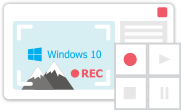
Ferramenta de captura de sua Área de Trabalho, que lhe permite salvar essa captura em um arquivo de vídeo e processar no editor.

Um programa para capturar vídeo de dispositivos externos. Você pode salvar o vídeo de sintonizadores de vídeo, câmeras web, placas de captura e outros dispositivos.
VSDC Video Editor Reviews & Ratings (Trustpilot, Capterra & Media)
VSDC Free Video Editor is rated 4.5/5 by real users on Trustpilot and Capterra. Here are a few reviews and quotes from creators and tech media.
Overall rating: 4.5/5 based on 200+ reviews on Trustpilot and 89 reviews on Capterra.
★★★★⯪
VSDC Free Video Editor is the best free video editor for Windows I’ve used, from color grading to picture-in-picture and cinematic results.
— Ejikeme Eloka Augustine
Source:Trustpilot
★★★★☆
Easy-to-use interface and quick export to social media make VSDC a versatile video editing tool for everyday projects.
— Karen C., E-Learning
Source:Capterra
★★★★☆
A feature-packed non-linear video editor for Windows that can compete with many paid video editing solutions.
— TechRadar
Source:TechRadar review
★★★★★
The free VSDC editor saved my YouTube channel – a powerful video editing software for chroma key, text effects and picture-in-picture.
— Paul Roberts
Source:Trustpilot
★★★★★
Fast and simple for YouTube videos with green screen, zoom, color tools and creative effects in one app.
— Marie R., Media Production
Source:Capterra
★★★★★
One of the best free video editor options for Windows users, ideal for GoPro, YouTube and family videos.
— VidProMom, YouTube creator
Source:Media reviews
★★★★★
I’ve been using VSDC for years; editing is easy and the final videos look great for my personal and professional projects.
— Long-time VSDC user
Source:Trustpilot
★★★★★
Great value and faster than many other free tools; I quickly create videos for YouTube, Instagram and Facebook with features my audience loves.
— Rabika B., Marketing & Advertising
Source:Capterra
★★★★★
VSDC offers many features you don’t usually find in free editors, including picture-in-picture, stabilization and modern codec support with no watermarks.
— Tech media review
Source:Media reviews
 Like us on Facebook
 Follow us on Twitter
Watch us on YouTube
 / @VSDCFreeVideoEditor
© 2011-2026, www.videosoftdev.com, FLASH-INTEGRO LLC. Política de privacidade | Termos de uso | Sobre nós
Todas as marcas comerciais mencionadas neste documento são de propriedade exclusiva de seus respectivos proprietários.
A cópia de qualquer material deste site é permitida apenas com o consentimento por escrito da Administração do Site.