 User Help Manual
  Learn FAQ
  Send us feedback


5 Movie Maker Alternatives to Try in 2026
Windows Movie Maker may be long gone, but people are still looking for the same thing it did well: a straightforward Windows video editor that lets you turn photos and clips into a finished video without making editing unnecessarily complicated.
Microsoft ended support for Windows Essentials 2012, which included Movie Maker, back in 2017. Since then, the Windows editing landscape has changed significantly. Windows 11 now comes with Microsoft Clipchamp, open-source editors have become more capable, and modern desktop tools increasingly include features such as AI-assisted creation, HDR workflows, advanced keyframes, modern codec support, and 4K editing.
So if you originally landed here looking for a Windows Movie Maker alternative, this updated 2026 guide is still for you. We’ve kept the editors that remain relevant, removed outdated recommendations from the main list, and added newer options for Windows users.
Some are deliberately simple. Others give you much more room to grow. And if you’ve already tried Clipchamp but need more control, several of these editors also make strong Clipchamp alternatives.
Best Windows Movie Maker alternatives in 2026
| Video editor | Best for | Price | Main advantage |
|---|---|---|---|
| VSDC Free Video Editor | Windows creators who want room to grow | Free / Pro available | AI tools, HDR, telemetry, effects, keyframes, and advanced Windows editing |
| Microsoft Clipchamp | Quick edits and social media videos | Free / premium features | Simple interface and Windows 11 integration |
| OpenShot | Simple open-source editing | Free | Approachable multi-track workflow |
| Kdenlive | Open-source editing with more control | Free | Proxies, flexible workspace, and strong timeline tools |
| Shotcut | Format flexibility and technical workflows | Free | Broad codec support and HDR tools |
VSDC Free Video Editor
VSDC was already one of our recommendations when this article was first published, and the main reason has not changed: it gives Windows users considerably more editing freedom than Movie Maker while still allowing you to start with familiar tasks such as trimming clips, adding music, creating titles, and applying transitions.
Unlike Movie Maker, VSDC uses a non-linear editing workflow. Video, images, text, audio, graphics, and effects can all exist independently on multiple layers and appear on screen at the same time.
For example, if you want to create a split-screen effect, import two videos, resize each one, and position them next to each other.
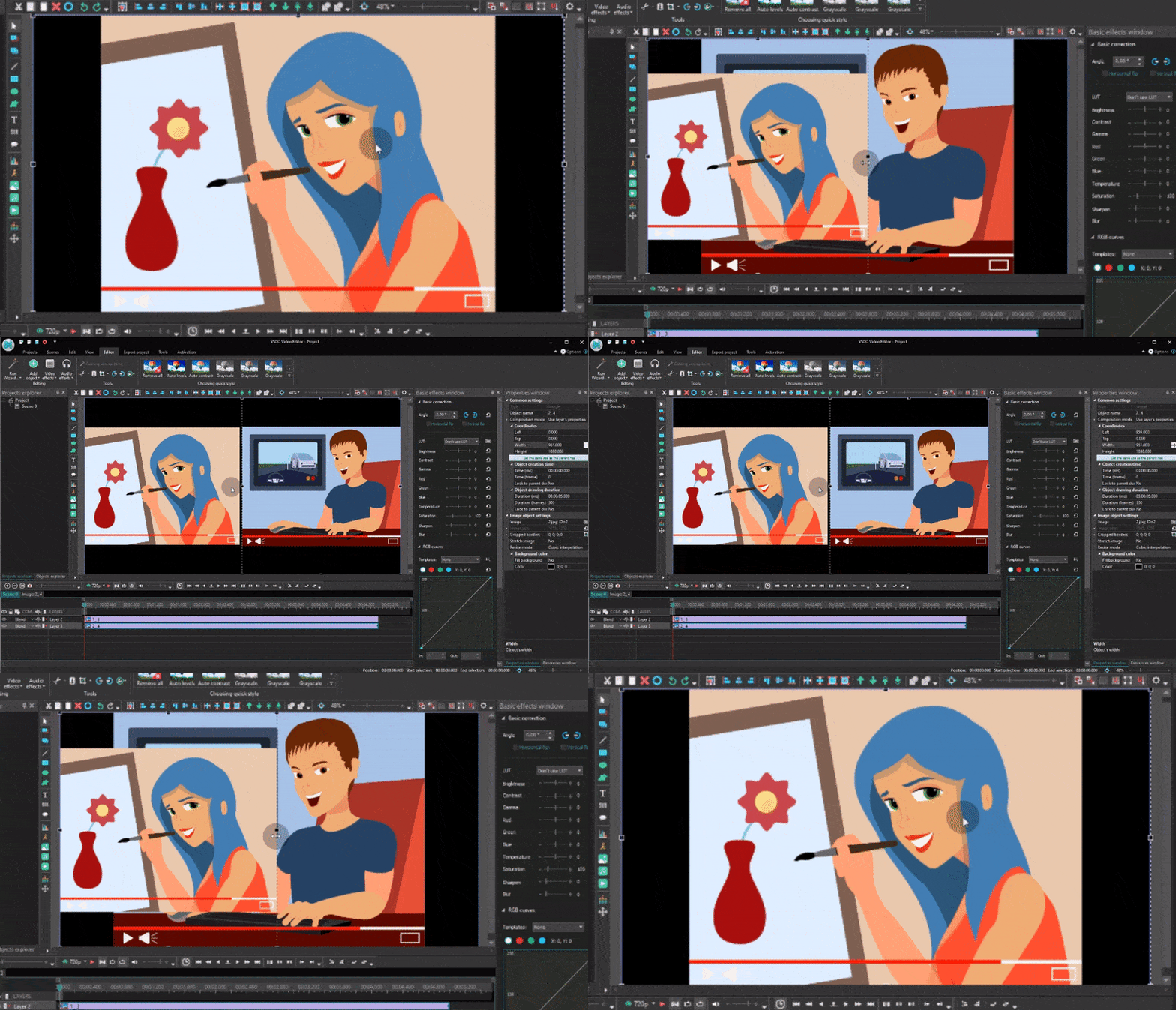
A split-screen effect in VSDC Free Video Editor
That same multi-layer approach also makes it possible to build picture-in-picture layouts, overlays, motion graphics, complex titles, and compositions where several objects appear at the same time.
VSDC has also changed substantially since the original version of this guide was published. Today, the editor goes well beyond basic cutting, transitions, and text tools.
AI image and video generation inside the editor
VSDC 11.3 adds AI image generation, AI video generation, and AI-powered image editing directly to the editing workflow through integration with fal.ai.
You can choose an AI model, enter a text prompt, generate an image or video, and then add the result straight to your current VSDC project. Existing images in the project can also be modified with AI.
The practical advantage is that generated content does not live in a separate tool. You can immediately trim it, combine it with your own footage, add text and subtitles, apply transitions, animate it, or continue editing with the standard VSDC toolset.
HDR editing and tone mapping
HDR is now common on phones, action cameras, drones, and modern cameras. VSDC includes dedicated HDR handling and tone-mapping controls, allowing you to manage how HDR footage is interpreted and converted instead of relying only on a generic automatic result.
This is especially useful when working with footage from modern phones, GoPro cameras, DJI devices, and other HDR-capable cameras.
Garmin, DJI, and GPS telemetry
VSDC can also visualize GPS and telemetry information directly over footage. Depending on the source, this can include route, speed, altitude, heart rate, cycling cadence, and compass direction.
This makes it possible to create cycling videos, motorcycle footage, training recaps, travel videos, and drone edits where viewers can see not only what happened, but also how fast, how high, or how hard you were pushing.
More control over keyframes and animation
VSDC gives you much finer control over animation than the original Movie Maker workflow. You can animate position, zoom, opacity, and effect parameters over time, work with multiple keyframes, adjust curves, and build more advanced motion graphics and titles.
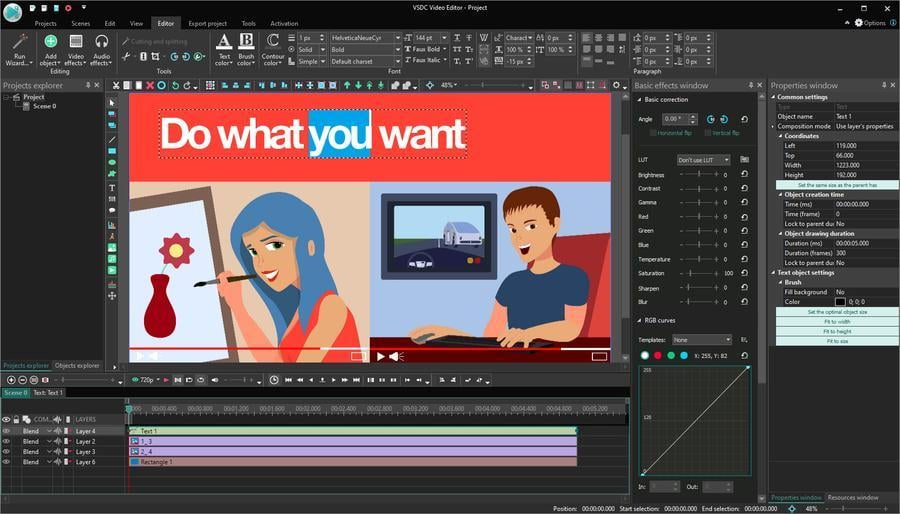
VSDC includes advanced text, title, animation, and visual editing tools
The editor also includes masks, chroma key, color grading, blending modes, audio effects, subtitles, visualizers, and a growing library of ready-to-use templates.
If you are looking for a free Windows Movie Maker alternative that you will not immediately outgrow, VSDC remains one of the strongest options.
Download VSDC Free Video Editor
Microsoft Clipchamp
If you were hoping Microsoft would eventually give Windows a modern successor to Movie Maker, Clipchamp is now the closest answer.
Clipchamp is Microsoft’s current video editor for Windows 11. Its interface focuses on quick editing, drag-and-drop workflows, templates, stock assets, text, transitions, filters, screen recording, subtitles, voiceovers, and social media content.
For many former Movie Maker users, that simplicity is exactly the point. You can trim and combine clips, add music and text, record your screen or webcam, and create a finished social video without learning a traditional professional editing environment.
The free personal tier is suitable for many everyday projects, although users who need more advanced compositing, keyframe control, HDR handling, telemetry, or deeper format control may eventually look for a more capable Clipchamp alternative.
Best for: quick videos, presentations, social media content, and users who want Microsoft’s built-in Windows option.
Choose VSDC instead if: you want to move beyond a simplified editor into more advanced animation, HDR, telemetry, compositing, and AI-assisted workflows.
OpenShot
OpenShot was included in the original version of this article because it offered one of the simplest transitions from Movie Maker to a multi-track editor. That remains one of its main strengths.
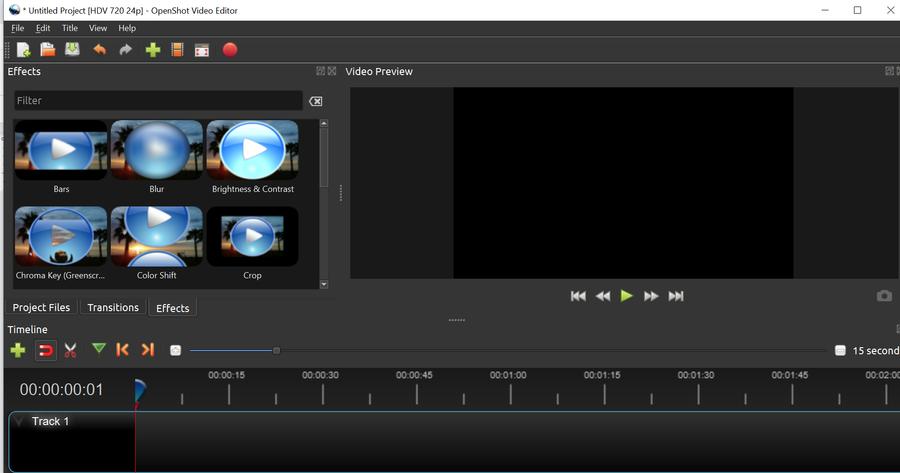
OpenShot remains one of the more approachable open-source video editors
OpenShot is free and open source and works on Windows, macOS, and Linux. Its workflow is based on a multi-track timeline, drag-and-drop editing, keyframes, effects, transitions, and broad format support.
The current generation of OpenShot is considerably more capable than the version featured in the original guide, with improved color tools, recording options, audio visualization, masking, and timeline controls.
It is still a sensible Windows Movie Maker alternative if you mostly need cutting, trimming, transitions, titles, basic animation, multi-track editing, and a relatively easy learning curve.
Best for: users who want a relatively simple open-source Movie Maker alternative.
Choose VSDC instead if: you want a Windows-focused workflow with AI media generation, HDR controls, telemetry, more extensive compositing, and a wider range of advanced editing tools.
Kdenlive
Kdenlive is another recommendation that survives from the original version of this article.
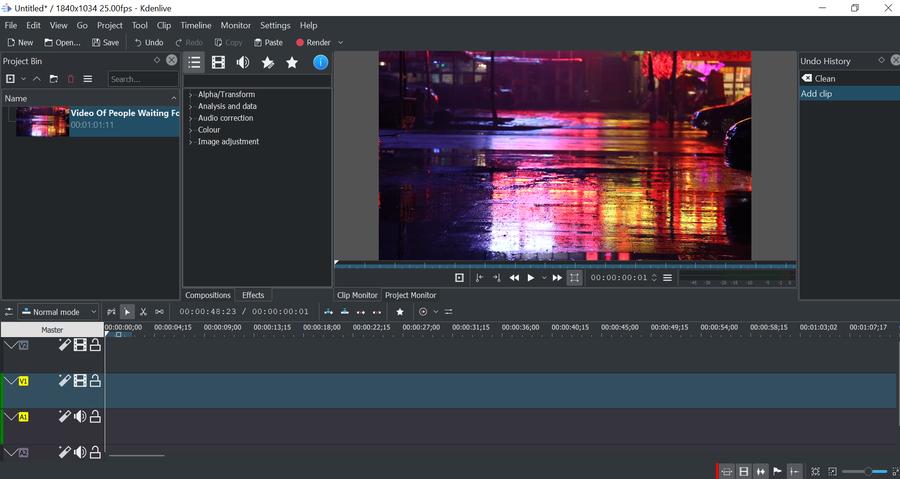
Kdenlive offers a flexible, customizable non-linear editing environment
Kdenlive is a free and open-source video editor for Windows, macOS, and Linux. It offers multiple video and audio tracks, effects, transitions, color tools, titles, chroma key, waveform support, and a customizable interface.
Its proxy workflow is particularly useful when working with demanding high-resolution footage on less powerful computers. Development has also remained active, with recent versions focusing on stability, timeline behavior, interface refinement, and workflow improvements.
The learning curve is steeper than Clipchamp and the original Movie Maker, but the trade-off is far more control.
Best for: users who want an established open-source non-linear editor and are willing to spend some time learning it.
Choose VSDC instead if: Windows is your primary platform and built-in AI generation, telemetry, HDR tools, and VSDC’s template ecosystem are more relevant to your projects.
Shotcut
Shotcut is a new addition to this refreshed list. Like OpenShot and Kdenlive, it is free and open source and runs on Windows, macOS, and Linux.
Shotcut is known for broad format support and a relatively technical editing workflow. It supports multi-track editing, filters, keyframes, subtitles, LUTs, and a wide range of audio and video formats.
Recent versions have also expanded HDR workflows and improved timeline, keyframe, subtitle, and speech-to-text tools.
Shotcut is not as template-driven as Clipchamp, and its interface can feel more technical if you mainly want to assemble a few clips quickly. On the other hand, that flexibility is exactly what some users are looking for when they move beyond a simple video maker.
Best for: users who care about format flexibility, filters, HDR, and technical control.
Choose VSDC instead if: you want similar room to grow but also want AI generation, action-camera telemetry, and a more Windows-specific feature set.
What happened to Olive and HitFilm Express?
If you visited an older version of this article, you may remember Olive Video Editor and HitFilm Express on the list.
We have not erased them from the article because both were legitimate Windows Movie Maker alternatives when this guide was originally published. However, they are no longer recommendations we would give to someone choosing a new editor in 2026.
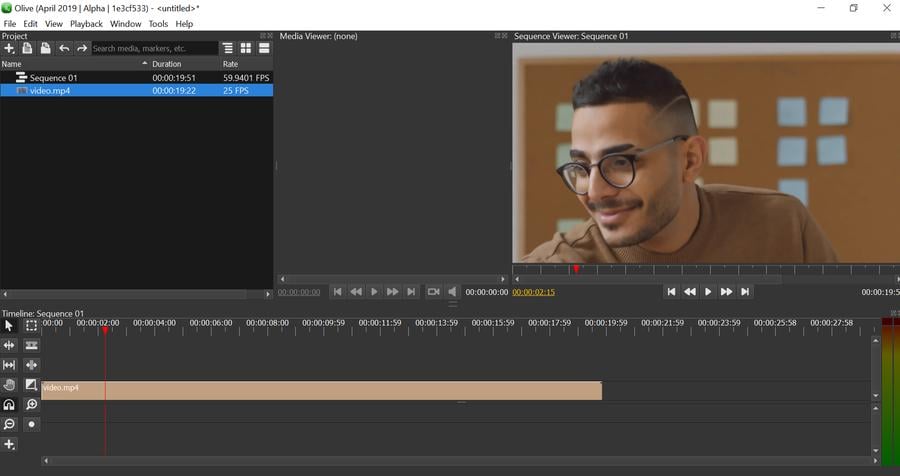
Olive appeared in an earlier version of this guide, but it is no longer part of our current Top 5
Olive’s current development status makes it difficult to recommend as a stable everyday editor for new users.
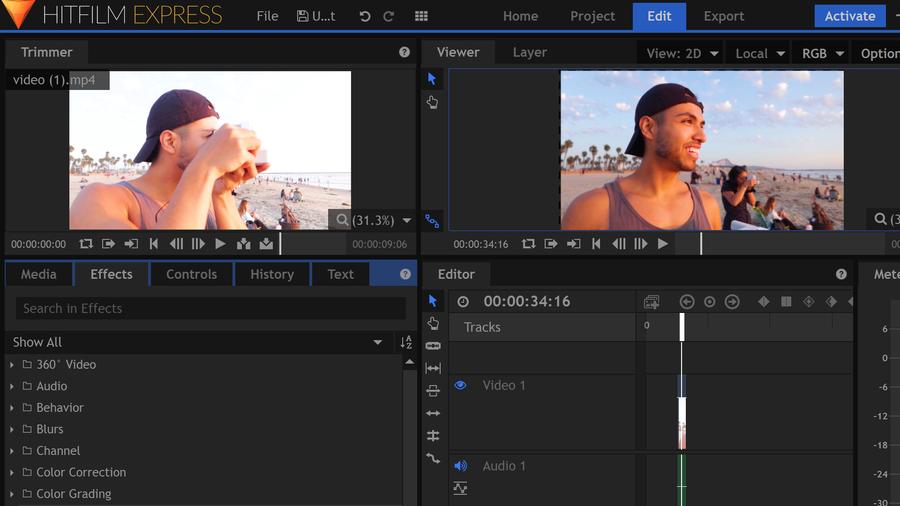
HitFilm Express was once a strong free option, but it is no longer a practical recommendation for new users
That is why this 2026 refresh replaces Olive and HitFilm Express in the main list with Microsoft Clipchamp and Shotcut.
What makes a good Windows Movie Maker alternative in 2026?
This question has changed considerably since the original version of this article was published.
Years ago, a good Movie Maker alternative mainly needed to let you trim footage, combine several clips, add a title, put music underneath, and export the result without too much effort.
Those things still matter. But in 2026, many creators also expect:
- vertical and social-media workflows
- 4K support
- better color correction
- subtitles and speech tools
- screen recording
- modern codec support
- keyframe animation
- HDR handling
- AI-assisted tools
- templates that reduce repetitive work
Not everyone needs all of them.
If you want something closest to the old Movie Maker philosophy, Clipchamp or OpenShot will probably feel the most familiar.
If you want open-source flexibility, look at Kdenlive or Shotcut.
And if you want a Windows editor that lets you start with simple cutting but later move into AI video generation, HDR, telemetry, advanced animation, effects, and more complex projects, VSDC gives you the widest growth path without immediately moving into a full professional post-production suite.
VSDC vs Clipchamp: which one is better for you?
Because Clipchamp is now Microsoft’s default Windows video editor, this comparison is more useful in 2026 than Movie Maker vs VSDC.
Choose Clipchamp if your priority is:
- getting started quickly
- templates and social content
- simple trimming and combining
- screen and webcam recording
- an editor integrated with Windows 11
Choose VSDC if you need:
- a full non-linear timeline
- more advanced compositing
- detailed keyframe control
- HDR processing and tone mapping
- Garmin, DJI, and GPS telemetry
- AI image and video generation inside the editing workflow
- more control over effects, color, and animation
- room to grow into more complex editing
The choice is therefore less about which editor is universally “better” and more about how far you expect your projects to go.
Frequently asked questions
What is the best Windows Movie Maker alternative in 2026?
For users who want a simple Microsoft-style experience, Clipchamp is the most direct modern replacement. If you need more advanced editing on Windows, VSDC offers a broader set of tools including non-linear editing, keyframes, HDR, telemetry, and AI content generation.
Is Windows Movie Maker still available?
Microsoft ended support for Windows Essentials 2012, including Windows Movie Maker, in 2017, and Movie Maker is no longer officially distributed as a supported Microsoft product.
What replaced Windows Movie Maker on Windows 11?
Microsoft Clipchamp is the current Microsoft video editor for Windows 11 and is the closest modern successor for users who want a simple built-in editing experience.
Is there a free Windows Movie Maker alternative without a watermark?
Yes. VSDC, OpenShot, Kdenlive, and Shotcut all provide free editing options without adding a mandatory watermark. Clipchamp also supports watermark-free exports for projects that use its free features and assets.
What is the best Clipchamp alternative for Windows?
If you like Clipchamp’s basic workflow but need more advanced editing, VSDC is a strong next step because it adds non-linear compositing, keyframes, HDR, telemetry, AI generation, and more detailed control over effects.
Can VSDC generate AI videos?
Yes. VSDC 11.3 adds AI video and image generation through fal.ai, along with AI-powered image editing. Generated content can be added directly to the current VSDC project and edited with the rest of your footage.
 Like us on Facebook
 Follow us on Twitter
Watch us on YouTube
 / @VSDCFreeVideoEditor
© 2011-2026, www.videosoftdev.com, FLASH-INTEGRO LLC. Privacy policy | Terms of use | About us
All trademarks referenced herein are the sole property of their respective owners.
Copying any materials from this site allowed only with written consent of Site Administration.