


视频编辑器
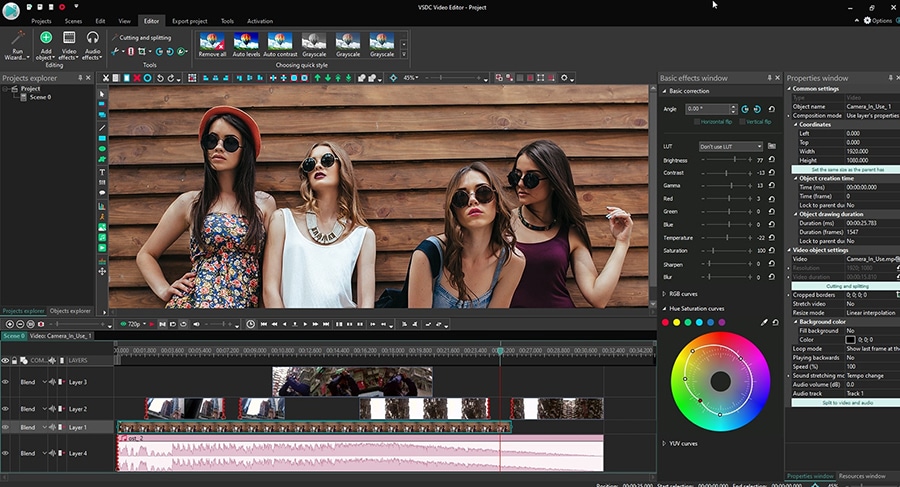
使用免费软件制作和编辑从贺卡到公司简介等不同复杂程度的视频。可以剪切和合并视频文件,应用音效和视效,添加滤镜,进行图像校正,创建幻灯片秀、添加背景音乐。使用多彩色色键和高级属性设置可以将视频升级到专业水平。软件支持所有常用的视频和音频格式。
视频转换器
此应用程序针对转换视频文件的格式,支持几乎所有常用的视频格式(读取和保存均可)。此外,程序可以大大简化转码任务,使视频能兼容特殊的多媒体设备,如iPhone、Microsoft Zune或Archos。操作非常简单,软件具有现代化界面以及所有处理视频必须的功能。
Animated Intro & Title Templates
Explore the VSDC Template Store with ready-made video templates for intros, animated titles, lower thirds, logo reveals, slideshows, glitch transitions, LUTs, and color grading presets. Drop a template into the VSDC Video Editor timeline, edit text, timing, and colors, and finish professional video projects in minutes.
Choose from 300+ exclusive packs of video transitions, LUT packs, text effects, GPS telemetry widgets, animated elements, and animated backgrounds for VSDC. All templates are fully customizable, support up to 4K resolution in 16:9, and help you build intros, wedding slideshows, travel videos, and tutorials much faster.
VSDC Cloud - Online video management
Keep your work safe, organized and always accessible! Back up your video projects, store media files online and access them from any device. Enjoy collaboration, share project updates and exchange files easily.
 视频编辑器
视频编辑器 视频转换器
视频转换器 音频转换器
音频转换器 Templates store
 Cloud
Cloud

多功能
一套免费视频软件包含丰富处理工具的种类。

高速
应用程序采用高速高效算法,适合于单核和多核处理器

实惠
VSDC视频软件可年免费下载到Windows系统操作的PC和笔记本。
News:
- 发布者:Amy Shao 发布时间:2026年6月30日 欢迎了解 VSDC Free Video Editor 的最新重磅更新:...
- 作者:Amy Shao 发布时间:2026年3月11日 对于富有创意的人来说,最好的礼物是什么?当然是新的可能性。VSDC 团队很...
- 作者:Amy Shao 2025年11月19日发布 欢迎了解期待已久的VSDC 10.2更新:这个新版本包含了令人难以置信的功能和重大改进,旨在为从爱好...
- 你好,我是Mattea Wharton,來自西雅圖的旅行影片創作者。整整三年,我一直在與那些會在我影片上加上難看浮水印的編輯軟體鬥爭,直到我發現了VSDC。這款...
免费视频编辑器推出新的转场和动画文本效果
在所有效果中,VSDC社区特别喜欢两类:过渡和文本效果。正好我们新版本带来这两个类别的更新。此外,还有新工作空间自定义选项,包括优化的文件管理和期待已久的标记。
最好的是大多数更新都是免费的。让我们一一介绍一下。
烧纸效果(专业版)
燃纸过渡效果产生燃烧纸的逼真错觉,最常用于揭示下一个场景。可以使用于视频,但是当应用于静止图像时,结果会更加令人印象深刻。
像VSDC的所有效果一样,烧纸过渡是完全可自定义的。支持调整火焰颜色、大小、方向和强度。作为此过渡的替代模板,还可以使用冻结。
最好的是,激活转化的时间反转后,效果将反转。例如,可以恢复被破坏的纸张,而不让它燃烧。
流转化效果(专业版)
常用毛刺效果的人会很喜欢“流转化”的新过渡效果。使用此选项可以通过分形驱动的图像失真来实现从一个场景到另一个场景的转化,该变形取决于所选模板。
例如,可以创建分解成千个对象的效果。通过使用时间倒置,也可以模仿相反的过程,即被破坏的对象放回一个完整的对象。
此效果含4种主模板及变体。喜欢尝试上传自己失真模式、自定义失真并创建自定义过渡的人也受支持。
动画文字效果
最后,VSDC 6.7带来三种动画文本效果:重色,移置和字形效果。旨在控制文本符号在场景中的显示方式,这些效果使您可以创建好莱坞级的简介、场景和字幕。
重色效果用于更改文本符号的颜色或不透明度级别。例如,通过使屏幕上的字母一个接一个地显示(从透明变为非透明),可以轻松地创建流行的打字机效果或其倒置的“撤消打字”版本。
移置效果用于屏幕上移动文本符号。字形效果用于更改文本符号的各种属性,如大小、偏斜角或旋转度。
可以单独应用这些效果,也可以组合为一个合成。例如,需要文本符号同时更改颜色和位置时,可以把重色和移置效果应用于同一文本对象。
 下载免费的视频编辑器
下载免费的视频编辑器为创作者带来更好用的工作空间
除了新效果之外,VSDC的新版本还包括标记和改善制作流程的工作空间。例如,为处理大量项目文件的人、专注于色彩校正的人和已经享受默认编辑空间但希望使其更有条理的人设计了3种新的工作空间配置。
不仅如此!对象资源管理器带来搜索字段,因此可以快查找项目的文件或文件组。资源窗口也已重新设计。从新版本开始,您可以同时选择多个文件、成组导出文件并删除不使用的文件。
欢迎访问我们官网下载VSDC 8.2,有疑问的话,请随时向该Email地址已收到反垃圾邮件插件保护。要显示它您需要在浏览器中启用JavaScript。给我们留言。


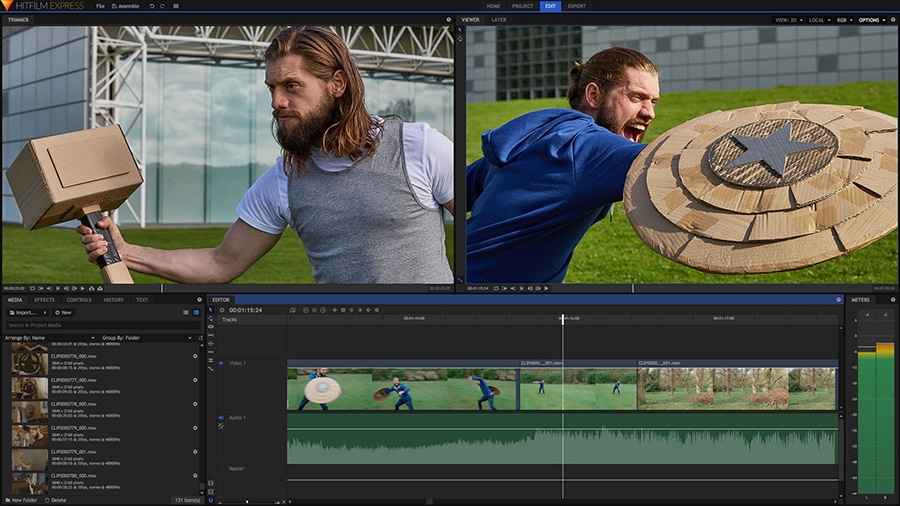
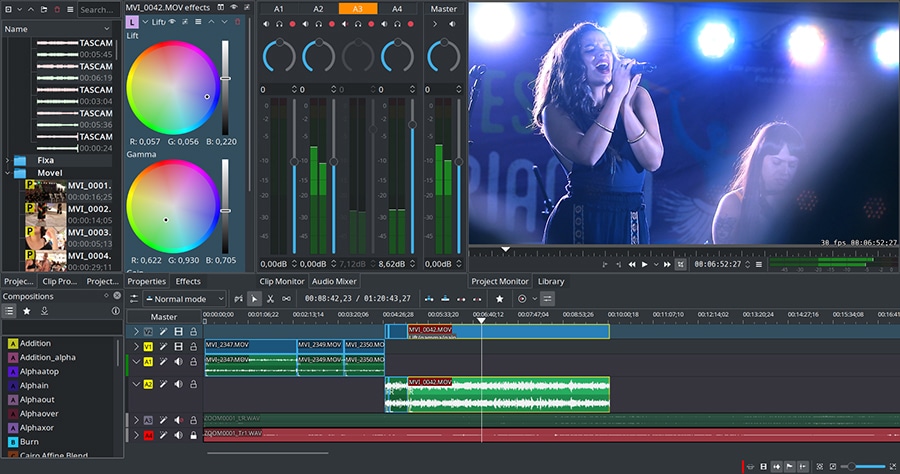
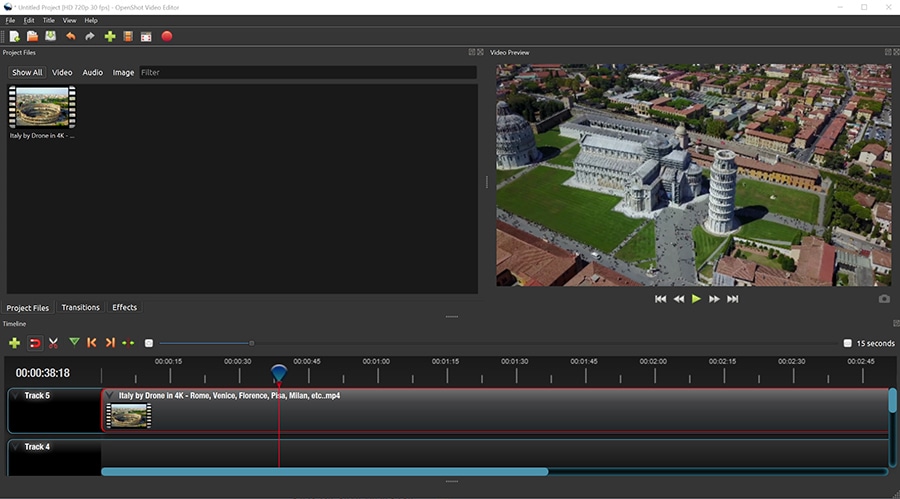
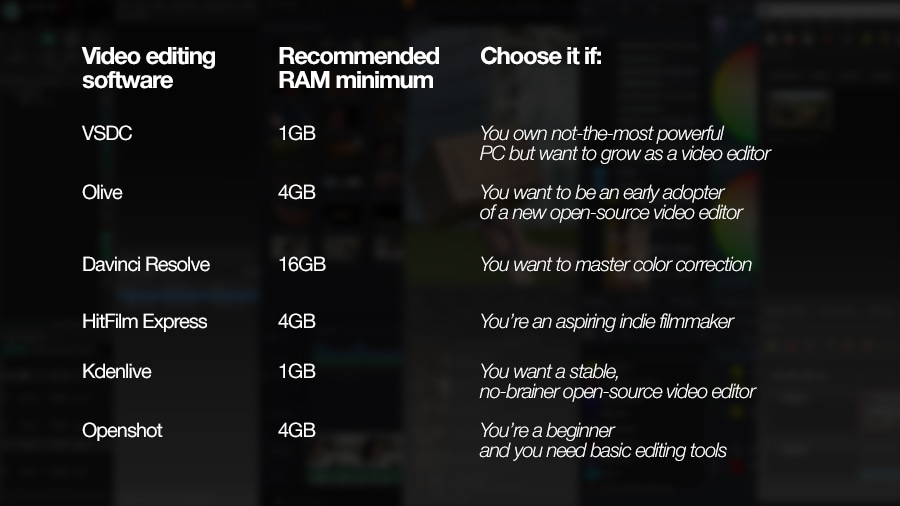



VSDC Video Editor Reviews & Ratings (Trustpilot, Capterra & Media)
VSDC Free Video Editor is rated 4.5/5 by real users on Trustpilot and Capterra. Here are a few reviews and quotes from creators and tech media.
Overall rating: 4.5/5 based on 200+ reviews on Trustpilot and 89 reviews on Capterra.
★★★★⯪
VSDC Free Video Editor is the best free video editor for Windows I’ve used, from color grading to picture-in-picture and cinematic results.
— Ejikeme Eloka Augustine
Source:Trustpilot
★★★★☆
Easy-to-use interface and quick export to social media make VSDC a versatile video editing tool for everyday projects.
— Karen C., E-Learning
Source:Capterra
★★★★☆
A feature-packed non-linear video editor for Windows that can compete with many paid video editing solutions.
— TechRadar
Source:TechRadar review
★★★★★
The free VSDC editor saved my YouTube channel – a powerful video editing software for chroma key, text effects and picture-in-picture.
— Paul Roberts
Source:Trustpilot
★★★★★
Fast and simple for YouTube videos with green screen, zoom, color tools and creative effects in one app.
— Marie R., Media Production
Source:Capterra
★★★★★
One of the best free video editor options for Windows users, ideal for GoPro, YouTube and family videos.
— VidProMom, YouTube creator
Source:Media reviews
★★★★★
I’ve been using VSDC for years; editing is easy and the final videos look great for my personal and professional projects.
— Long-time VSDC user
Source:Trustpilot
★★★★★
Great value and faster than many other free tools; I quickly create videos for YouTube, Instagram and Facebook with features my audience loves.
— Rabika B., Marketing & Advertising
Source:Capterra
★★★★★
VSDC offers many features you don’t usually find in free editors, including picture-in-picture, stabilization and modern codec support with no watermarks.
— Tech media review
Source:Media reviews
 Like us on Facebook
 Follow us on Twitter
Watch us on YouTube
 / @VSDCFreeVideoEditor
© 2011-2026, www.videosoftdev.com, FLASH-INTEGRO LLC. Privacy policy | Terms of use | About us
此处被引用的所有商标均为其各自所有者的专有财产。
只有获得网站管理员的书面许可,才能从本网站复制任何材料。