


動画編集
家族のグリーティングカードから会社のプレゼンテーションまでのどんな複雑性でも動画を作成できるように、動画編集 フリーウェアを使用しています。 カットをはじめて、動画ファイルの併合、視覚効果や効果音やフィルターや画像修正などの適用、適当なサウンドトラックの追加、スライドショーを作成できます 。動画がプロフェツショナルに見えるように、クロマキーおよび詳細設定を使用してください。 全ての人気の動画形式/音声フォーマットをサポートしています。
ビデオ変換器
このプログラムは他のフォーマットにビデオを変換することに志向されます。人気のビデオフォーマットの大半をサポートしています。(読込みと保存)その上、プログラムは特定のマルチメディア装置で、例えばiPhone、 Microsoft ZuneまたはArchos、再生するためにビデオを変換するタスクを大幅な簡素化します。プログラムは非常に簡単で使用するし、モダンインターフェースがあるし、必要なビデオ処理の機能があります。
オーディオ変換器
オーディオ変換器は他のフォーマットにオーディオファイルを変換します。基本的なオーディオフォーマットとコーデックをサポートしています。プログラムはプレイリストとメタタグを管理し、ビデオファイルからオーディオを抜き出して、パソコンでどんなフォーマットでもこのトラックを保存させます。
Animated Intro & Title Templates
Explore the VSDC Template Store with ready-made video templates for intros, animated titles, lower thirds, logo reveals, slideshows, glitch transitions, LUTs, and color grading presets. Drop a template into the VSDC Video Editor timeline, edit text, timing, and colors, and finish professional video projects in minutes.
Choose from 300+ exclusive packs of video transitions, LUT packs, text effects, GPS telemetry widgets, animated elements, and animated backgrounds for VSDC. All templates are fully customizable, support up to 4K resolution in 16:9, and help you build intros, wedding slideshows, travel videos, and tutorials much faster.
VSDC Cloud - Online video management
Keep your work safe, organized and always accessible! Back up your video projects, store media files online and access them from any device. Enjoy collaboration, share project updates and exchange files easily.
 動画編集
動画編集 ビデオ変換器
 オーディオ変換器
 Templates store
 Cloud
Cloud

多機能性
1つのビデオソフトウェアのスイートではマルチメディア処理ツールの広い配列があります。

高速度
シングルコアやマルチコアのCPUに最適化した高品質と高速なアルゴリズムを使用します。

費用を負担できること
VSDCはWindows OSベースのPCとラップトップに無料でダウンロードできます。
News:
- Amy Shao による公開日:2026年6月30日 VSDC Free Video Editor の新しい大型アップデート、バー...
- Amy Shao による公開日:2026年3月11日 クリエイティブな人にとって最高の贈り物は何でしょうか。もちろん、新しい可能性...
- Amy Shao 公開 2025年11月19日 待望のVSDC 10.2アップデート:ホビイストからプロまで、すべてのユーザーを支援するために設計された...
- こんにちは、シアトル在住の旅行ビデオグラファー、マティア・ワートンです。3年間も、動画に醜い透かし(ウォーターマーク)を入れてくる編集ソフトに悩まされてきました...
Flash-Integroが無料スクリーンレコーダーを発売します
2013年11月19日
Flash-IntegroがVSDC無料スクリーンレコーダーという新しい無料製品を発表しました。この使いやすいスクリーンビデオキャプチャアプリには、プロツールと直接対決できるプロの機能もあります。
多くのユーザーは、自分の画面またはその一部に表示されている内容を記録する必要があります。経験の共有、テクニカルサポート担当者との対話、または単に参照用のスクリーンショットのキャプチャは、ビデオスクリーンキャプチャソフトウェアプログラムの一般的な家庭用アプリケーションです。VSDC無料スクリーンレコーダーは、フリーウェアに期待されるよりも強力な手段をユーザーに提供します。
VSDC無料スクリーンレコーダーはFlash-Integro LLCによる新製品で、同社製の他の製品の機能をすべて備えています。無料で使いやすく、しかも強力です。 画面全体を記録するのか、それとも画面に表示されている1つのウィンドウだけを記録するのかにかかわらず、プログラムは信頼できるヘルパーです。何十ものビデオフォーマットをサポートしているおかげで、ユーザーは特定の目的のために最終的なビデオをすばやく準備することができます。面白いことに、このツールはオーディオとビデオを記録するときにシステムに既にインストールされているコーデックで動作します。 これは、最低限の予備設定が必要であり、出力ビデオの品質が常に良好であることを意味します。
プログラムによって提供されるプロの機能の中には、ユーザーがマウスカーソルの近くに表示されるように設定したり、ホットキーで呼び出すことができるという編集可能なコメントやメモがあります。さらに、特殊なペンモードを使用すると、フッテージ内の重要な要素を強調表示または強調表示するために、キャプチャの進行中にユーザーが文字通り画面上に描画できます。
VSDC無料スクリーンレコーダーはすべてを提供しようとしません。それはその主な機能に焦点を当てたままでありながらビデオガイド、チュートリアル、そしてハウツービデオを簡単に作成するための多くの追加オプションも提供します。
その他の記事...
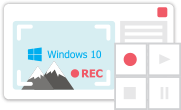
このプログラムは、あなたのデスクトップのビデオをキャプチャし、パソコンで様々なフォーマットでも動画を保存できます。プログラムは、動画編集と結合して、プレゼンテーションの作成や、チュートリアルや、デモビデオのためにすごいツールです。

このプログラムは外部の装置からビデオをキャプチャーし、自由なフォーマットでパソコンに記録します。ビデオチューナーや、ウェブカメラや、キャプチャカードなどからビデオを保存できます。
VSDC Video Editor Reviews & Ratings (Trustpilot, Capterra & Media)
VSDC Free Video Editor is rated 4.5/5 by real users on Trustpilot and Capterra. Here are a few reviews and quotes from creators and tech media.
Overall rating: 4.5/5 based on 200+ reviews on Trustpilot and 89 reviews on Capterra.
★★★★⯪
VSDC Free Video Editor is the best free video editor for Windows I’ve used, from color grading to picture-in-picture and cinematic results.
— Ejikeme Eloka Augustine
Source:Trustpilot
★★★★☆
Easy-to-use interface and quick export to social media make VSDC a versatile video editing tool for everyday projects.
— Karen C., E-Learning
Source:Capterra
★★★★☆
A feature-packed non-linear video editor for Windows that can compete with many paid video editing solutions.
— TechRadar
Source:TechRadar review
★★★★★
The free VSDC editor saved my YouTube channel – a powerful video editing software for chroma key, text effects and picture-in-picture.
— Paul Roberts
Source:Trustpilot
★★★★★
Fast and simple for YouTube videos with green screen, zoom, color tools and creative effects in one app.
— Marie R., Media Production
Source:Capterra
★★★★★
One of the best free video editor options for Windows users, ideal for GoPro, YouTube and family videos.
— VidProMom, YouTube creator
Source:Media reviews
★★★★★
I’ve been using VSDC for years; editing is easy and the final videos look great for my personal and professional projects.
— Long-time VSDC user
Source:Trustpilot
★★★★★
Great value and faster than many other free tools; I quickly create videos for YouTube, Instagram and Facebook with features my audience loves.
— Rabika B., Marketing & Advertising
Source:Capterra
★★★★★
VSDC offers many features you don’t usually find in free editors, including picture-in-picture, stabilization and modern codec support with no watermarks.
— Tech media review
Source:Media reviews
 Like us on Facebook
 Follow us on Twitter
Watch us on YouTube
 / @VSDCFreeVideoEditor
© 2011-2026, www.videosoftdev.com, FLASH-INTEGRO LLC. Privacy policy | Terms of use | About us
本サイトに表示されている全ての商標はそれぞれの所有者の財産です。
書面による許可のない限り、本サイトからの情報および資料をコピーすることを認められません。