


视频编辑器
使用免费软件制作和编辑从贺卡到公司简介等不同复杂程度的视频。可以剪切和合并视频文件,应用音效和视效,添加滤镜,进行图像校正,创建幻灯片秀、添加背景音乐。使用多彩色色键和高级属性设置可以将视频升级到专业水平。软件支持所有常用的视频和音频格式。
视频转换器
此应用程序针对转换视频文件的格式,支持几乎所有常用的视频格式(读取和保存均可)。此外,程序可以大大简化转码任务,使视频能兼容特殊的多媒体设备,如iPhone、Microsoft Zune或Archos。操作非常简单,软件具有现代化界面以及所有处理视频必须的功能。
CD音频截取器
此音频工具用于从CD截取音频轨迹并存为任何格式。支持几乎所有常用的音频格式。此应用程序也能够从FreeDB服务器中获得音频轨迹的信息,并自动改名及更新文件的标记。
 视频编辑器
视频编辑器 视频转换器
视频转换器 音频转换器
音频转换器 CD音频截取器

多功能
一套免费视频软件包含丰富处理工具的种类。

高速
应用程序采用高速高效算法,适合于单核和多核处理器

实惠
VSDC视频软件可年免费下载到Windows系统操作的PC和笔记本。
News:
- 作者:Amy Shao 2025年11月19日发布 欢迎了解期待已久的VSDC 10.2更新:这个新版本包含了令人难以置信的功能和重大改进,旨在为从爱好...
- 你好,我是Mattea Wharton,來自西雅圖的旅行影片創作者。整整三年,我一直在與那些會在我影片上加上難看浮水印的編輯軟體鬥爭,直到我發現了VSDC。這款...
- published Amy Shao 6/10/25 等待全新非凡体验的日子终于结束了!这次更新不只是又一个版本——而是VSDC 10.1! V...
- 这个节日季,迎接全新的开始!VSDC视频编辑器带来了最新的9.4版本。我们倾听了您的建议,专注于优化您最常用的工具,同时为明年更多创新功能奠定基础。 增強的...
VSDC免费音频转换器
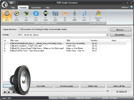
一个快速,功能强大,功能丰富,易于使用的免费音频转换器。
它的主要目的是编辑并将音频文件从一种格式转换成另一种格式。 支持所有流行的音频格式,如MP3,Windows媒体音频(WMA和ASF),QuickTime音频(MP4,M4A和AAC),Real音频(RM和RA),Vorbis音频(OGG),移动音频(AMR) 创新语音(VOC),Sun音频(AU),波形音频(WAV和AIFF),FLAC等。支持任何和所有音频编解码器,包括MP3,AAC,Vorbis,GSM和ADPCM。
您也可以打开并转换M3U文件,音频文件可以通过互联网下载。
支持所有关键音频格式
所有流行的音频格式都支持,所有的音频编解码器。 支持格式:MP3,WMA和ASF,M3U,MOV,MP4和M4A,RM和RA,OGG,AMR,VOC,AU,WAV,AIFF,FLAC,OMA等。
高级导出预设
使用导出预设,您可以选择所需音频的质量和格式,而不必考虑三次。 该应用程序有大量的预设涵盖所有格式和多媒体设备。 您可以轻松编辑它们或创建自己的。
能够保存来自视频的音频
现在,您可以从视频文件中保存音轨或其一部分,并以任何音频格式创建自己的音轨。
从文件中删除音频片段
使用内置的编辑器,您可以轻松地从文件中删除音频片段。 转换后,碎片将从结果文件中删除。
从互联网下载音频文件
现在,您可以随时从网站下载音频,并立即将其转换为另一种格式。
高转换质量
转换只使用高质量的音频处理算法,因此几乎没有质量损失; 转换质量仅取决于您选择的预设。
高转换速度
我们所有的产品都使用多个处理器来加速他们的工作。 我们的程序支持多种技术,如双核,酷睿,超线程等。
坚如磐石的可靠性和稳定性
我们试图使我们的所有产品与所有Windows操作系统兼容。 使用我们的程序时不应该遇到任何问题。


VSDC Video Editor Reviews & Ratings (Trustpilot, Capterra & Media)
VSDC Free Video Editor is rated 4.5/5 by real users on Trustpilot and Capterra. Here are a few reviews and quotes from creators and tech media.
Overall rating:4.5/5based on200+ reviews on Trustpilotand89 reviews on Capterra.
★★★★★
VSDC Free Video Editor is the best free video editor for Windows I’ve used, from color grading to picture-in-picture and cinematic results.
— Ejikeme Eloka Augustine
Source:Trustpilot
★★★★☆
Easy-to-use interface and quick export to social media make VSDC a versatile video editing tool for everyday projects.
— Karen C., E-Learning
Source:Capterra
★★★★☆
A feature-packed non-linear video editor for Windows that can compete with many paid video editing solutions.
— TechRadar
Source:TechRadar review
★★★★★
The free VSDC editor saved my YouTube channel – a powerful video editing software for chroma key, text effects and picture-in-picture.
— Paul Roberts
Source:Trustpilot
★★★★★
Fast and simple for YouTube videos with green screen, zoom, color tools and creative effects in one app.
— Marie R., Media Production
Source:Capterra
★★★★★
One of the best free video editor options for Windows users, ideal for GoPro, YouTube and family videos.
— VidProMom, YouTube creator
Source:Media reviews
★★★★★
I’ve been using VSDC for years; editing is easy and the final videos look great for my personal and professional projects.
— Long-time VSDC user
Source:Trustpilot
★★★★★
Great value and faster than many other free tools; I quickly create videos for YouTube, Instagram and Facebook with features my audience loves.
— Rabika B., Marketing & Advertising
Source:Capterra
★★★★★
VSDC offers many features you don’t usually find in free editors, including picture-in-picture, stabilization and modern codec support with no watermarks.
— Tech media review
Source:Media reviews
 Like us on Facebook
 Follow us on Twitter
Watch us on YouTube
 / @VSDCFreeVideoEditor
© 2011-2025, www.videosoftdev.com, FLASH-INTEGRO LLC. Privacy policy | Terms of use | About us
此处被引用的所有商标均为其各自所有者的专有财产。
只有获得网站管理员的书面许可,才能从本网站复制任何材料。