 User Help Manual
  Learn FAQ
  Send us feedback


Video Editor
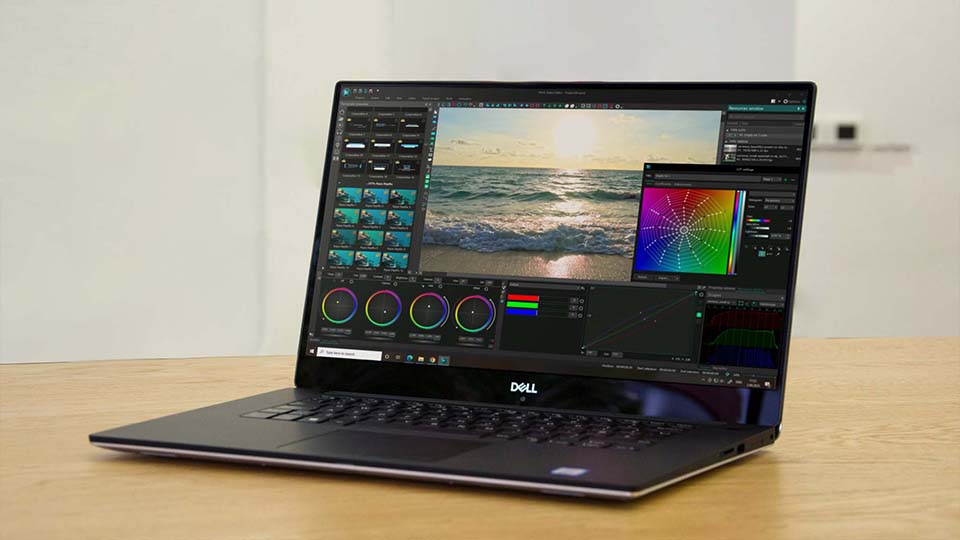
Download and use the free video software to create and edit videos of any complexity from a family greeting card to a company presentation. Apply vsdc free video editor for light edit hdr-video, any raw-video formats from cams - BRAW, ProRes RAW, any high resolution 4k or more due to video proxies technologies in the editor.
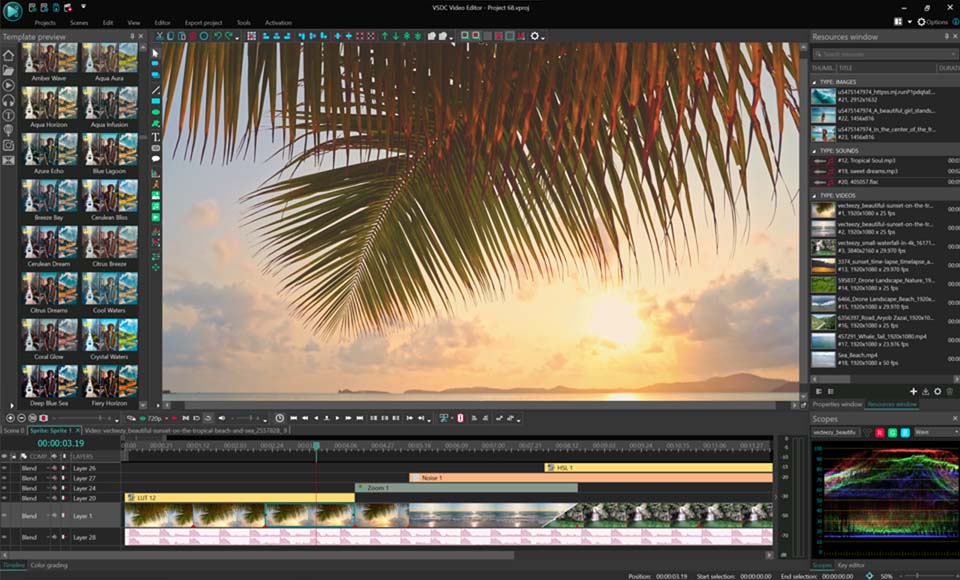
Cut, merge video files, apply visual and audio effects, use filtration and image correction, make slideshows and add an appropriate soundtrack. Use multi-color Chroma Key and advanced parameters settings to give your video a professional look.
All popular video and audio formats are supported.
Video Converter
This program is intended for converting video files from one format to another. Nearly all popular video formats are supported (both reading and saving). In addition, the program drastically simplifies the task of converting videos for playback on specific multimedia devices, such as iPhone, Samsung Galaxy or Huawei P30 Pro. The program is extremely easy to use, has a modern interface and all necessary video processing functions.
Audio Converter
The audio converter will help you convert audio files from one format to another. All key audio formats and codecs are supported. The program also allows you to manage playlists and meta tags, extract audio from video files and save these tracks on your computer in any format.
Audio CD Grabber
This audio tool is intended for grabbing audio tracks from compact discs and saving them to the user’s computer in any format. Nearly all popular audio formats and codecs are supported. The program can also extract track details from the FreeDB server for automatic file renaming and updating meta tags.
 Video Editor
 Video Converter
 Audio Converter
 Audio CD Grabber

Multifunctionality
A wide array of multimedia processing tools in one free video software suite.

High speed
Our programs use fast
and high-quality algorithms optimized for single and multi-core CPU’s.

Affordability
VSDC video software is freely available for download to Windows OS-based PCs and laptops.
News:
- published Amy Shao 11/19/25 Meet the long-awaited VSDC 10.2 update: a new ve...
- Hi, I'm Mattea Wharton, a travel videographer from Seattle. For three years I ba...
- published Amy Shao 6/10/25 The wait for something new and unusual is finally...
- This holiday season embraces new beginnings with the latest update of VSDC Video...
VSDC 10.2: GPS Gauges for GoPro and Other Action Cameras, Selective Export, Metadata Editing, Extended Codecs and Smarter Workflow
published Amy Shao 11/19/25
Meet the long-awaited VSDC 10.2 update: a new version packed with incredible features and significant enhancements designed to empower all of you, from hobbyists to professionals.
GPS Gauges, Selective Export, Metadata, Arabic UI, Extended Codecs
The standout addition is a revolutionary suite of GPS Telemetry tools, offering capabilities unmatched by any other video editor on the market! So, if you're a proud owner of an action camera (GoPro, Garmin, etc.), a drone or any other gadget that collects GPS data, this is exactly what you've been waiting for. And even if you don't have one, don't scroll away because for all editing enthusiasts out there, we have new features and enhancements to share!
 Download VSDC Free Video Editor
GPS Telemetry: An Exclusive VSDC Feature
VSDC 10.2 transforms your footage with data-driven storytelling. While other editors lack these advanced features, VSDC brings a complete, integrated solution right to your scene.
Now you can easily place a detailed map underneath your recorded route, сhoose your preferred style, download the map image and it automatically trims to fit your journey. Besides, it's possible now not only to show your path but also add stunning, animated gauges like speedometers, compasses and many more directly inside the editor.
The update introduces tools for creating custom telemetry displays: the Telemetry Widget and Telemetry Text Value. Use them to build your own unique data overlays from scratch, with full control over every element.
For those who want professional-looking results instantly, we offer a vast library of ready-made templates. You can choose individual gauges to place freely or opt for pre-assembled panels for a cohesive look. These templates are available with a PRO license, and you can unlock even more creative options with exclusive Premium packs.
Quick Export of Individual Scenes
VSDC 10.2 introduces a highly anticipated feature: the ability to export individual scenes or a custom selection of them. This gives you the freedom to render only the parts you need, saving you time and storage space.
For the fastest results simply navigate to the Projects Explorer window, right-click on the desired scene and select the new "Export scene" option to render it immediately.
When you need more control, use the main Export project tab. Go to the "Additional settings" tab and disable the "Join scenes to a single file" option. This reveals a full list of all your scenes, allowing you to check the exact ones you want to process.
Advanced Metadata and Chapter Markers
Embed essential details like title, author and copyright directly into the file properties, establishing credibility and ownership from the get-go. You can even assign a compelling custom thumbnail that instantly captures attention before your video is ever played.
Beyond basic info, transform viewing experiences with intuitive chapter markers. Break down lengthy content into digestible, navigable segments. If you create tutorials, documentaries or online courses, this is surely the feature you waited for. These chapters are baked directly into your exported video.
No Missing Fonts Across PCs
Now your carefully selected fonts travel within your packed project file! Whether you're collaborating with a team or moving between your office and home setup, every text element will maintain its exact appearance!
Simply enable the "Save user fonts when project packing" option in Options and rest assured that your packed project will contain not just your media files, but all the fonts used.
Broadened Codec Support
The free video editor now handles high-efficiency formats like ProRes, DNxHD and CineForm in their native MOV, MXF and AVI containers exactly as they come from your professional camera.
For those who like to work with sound, Microsoft XAudio2 was implemented for pristine Windows audio processing. The update also brings hardware-accelerated support for Intel VP9 and Motion JPEG, while ProRes becomes available for creating smooth proxy workflows.
Even your photos get smarter treatment: JPEG, HEIC and WEBP files now automatically read their orientation data, appearing correctly rotated the moment you import them into your project.
A More Comfortable and Welcoming VSDC
VSDC 10.2 delivers a cleaner, more modern interface with a redesigned timeline color scheme that minimizes eye strain and enables faster object recognition. While you can preserve your current setup, we encourage you to experience the new optimized defaults via the Options!
Embracing our global community, this update introduces full Arabic localization, allowing Middle Eastern users to edit in their native language. Switch to Arabic in General Options and discover a truly localized editing experience.
Other Improvements That Matter
While VSDC 10.2 brings major new features, we've also devoted special attention to refining the tools you use every day. Now you can:
- Restore trimmed clips with new one-click buttons in video properties that return your footage to its original length;
- Capture complex objects with all their nested elements using the snapshot function;
- Simplify your final export through streamlined controls that let you rename files, copy paths and open folders instantly;
- and many more!
These thoughtful refinements work alongside our major innovations to deliver the most reliable and enjoyable VSDC experience.
Find VSDC on social media: Facebook, Discord, X, YouTube and Reddit.
Share your thoughts and suggestions with us on our social media or at This email address is being protected from spambots. You need JavaScript enabled to view it.. Your feedback directly influences future updates and helps us create the video editor you truly want to use!
Frequently Asked Questions (FAQ)
1. Is the new GPS Telemetry feature available in the free version of VSDC?
Yes, you can fully test all GPS telemetry features for free within the video editor. Simply add your video containing an embedded GPX file to the timeline. The editor will automatically detect and extract the GPS data, displaying it in the Resources window.
Once extracted, you can use this data to add various widgets like speedometers, maps, compasses and other gauges. Please note: each widget requires specific data to be present in your GPX file. For instance, if speed information wasn't recorded in the file, you won't be able to display a speedometer.
While all these tools are available for free testing, exporting projects created with GPS features requires an active PRO subscription.
2. I have a GoPro. How do I get the GPS data into VSDC?
Most action cameras (like GoPro, DJI, Garmin) record your journey in a separate .GPX file alongside your video files. Simply import your video into VSDC, then drag and drop the corresponding .GPX file from the Resources window onto the timeline to get started.
3. If I pack a project with fonts to work on another computer, do I need to install those fonts on the other machine?
No, you don't. By enabling the "Save user fonts when project packing" option VSDC directly embeds the font files into the project package. This allows you or anyone else opening the project to see all the text exactly as you intended, without needing those fonts installed separately. But please ensure you have the proper license to embed any third-party fonts you use.
4. How do I revert to the old interface if I don't like the new color scheme?
You can easily customize the timeline colors in Options > Timeline color. If you prefer your previous setup, you can manually adjust the colors or, if you exported your settings before updating, simply import them back.
 Mattea Wharton editing desert vlog in VSDC Free with no watermark interface visible
 Recommended export settings for crystal-clear 4K videos on YouTube
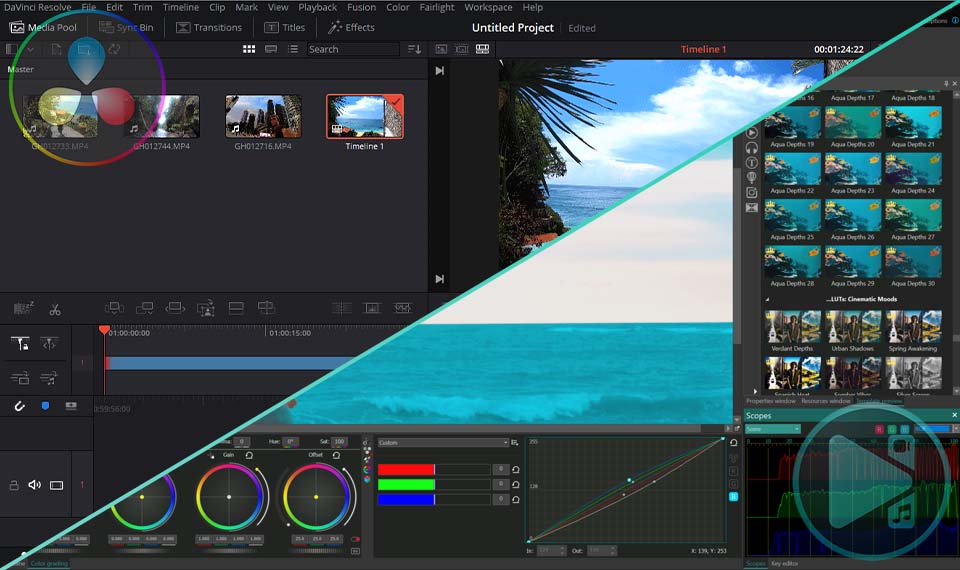 Real test: VSDC's 10-bit color preserves sunset gradients better than DaVinci!
 My 5-step TikTok transformation using VSDC's vertical editing tools
This program allows you to capture the video of your desktop and save it on your PC in various formats. Coupled with a video editor, the program is a great tool for creating presentations, tutorials and demo videos.

The program captures video from external devices and records it to computer in a free format. You can save video from video tuners, webcams, capture cards and other gadgets.
VSDC Video Editor Reviews & Ratings (Trustpilot, Capterra & Media)
VSDC Free Video Editor is rated 4.5/5 by real users on Trustpilot and Capterra. Here are a few reviews and quotes from creators and tech media.
Overall rating:4.5/5based on200+ reviews on Trustpilotand89 reviews on Capterra.
★★★★★
VSDC Free Video Editor is the best free video editor for Windows I’ve used, from color grading to picture-in-picture and cinematic results.
— Ejikeme Eloka Augustine
Source:Trustpilot
★★★★☆
Easy-to-use interface and quick export to social media make VSDC a versatile video editing tool for everyday projects.
— Karen C., E-Learning
Source:Capterra
★★★★☆
A feature-packed non-linear video editor for Windows that can compete with many paid video editing solutions.
— TechRadar
Source:TechRadar review
★★★★★
The free VSDC editor saved my YouTube channel – a powerful video editing software for chroma key, text effects and picture-in-picture.
— Paul Roberts
Source:Trustpilot
★★★★★
Fast and simple for YouTube videos with green screen, zoom, color tools and creative effects in one app.
— Marie R., Media Production
Source:Capterra
★★★★★
One of the best free video editor options for Windows users, ideal for GoPro, YouTube and family videos.
— VidProMom, YouTube creator
Source:Media reviews
★★★★★
I’ve been using VSDC for years; editing is easy and the final videos look great for my personal and professional projects.
— Long-time VSDC user
Source:Trustpilot
★★★★★
Great value and faster than many other free tools; I quickly create videos for YouTube, Instagram and Facebook with features my audience loves.
— Rabika B., Marketing & Advertising
Source:Capterra
★★★★★
VSDC offers many features you don’t usually find in free editors, including picture-in-picture, stabilization and modern codec support with no watermarks.
— Tech media review
Source:Media reviews
 Like us on Facebook
 Follow us on Twitter
Watch us on YouTube
 / @VSDCFreeVideoEditor
© 2011-2025, www.videosoftdev.com, FLASH-INTEGRO LLC. Privacy policy | Terms of use | About us
All trademarks referenced herein are the sole property of their respective owners.
Copying any materials from this site allowed only with written consent of Site Administration.